
 Proxy for Telegram
 Proxy for LinkedIn
 Proxy for Google
 Proxy for Ebay
 Proxy for Twitter
 Proxy for TikTok
User Guides
How to set up a proxy in LinkenSphere

LinkenSphere is one of the best anti detect browsers, the most convenient and secure tool for professional work on the Internet. The browser is equipped with systems of protection and substitution of prints (GPU, Audio, Canvas, Plugins, Fonts, ClientRects, Ubercookies). You should purchase it, and then you will be allowed to use it. So how do we set up a proxy in this browser? Let take a look at the step-by-step guide.
Video tutorial how to set up a proxy in LinkenSphere
Step-by-step proxy settings in Linken Sphere
- Open your browser and press the setup new session box.
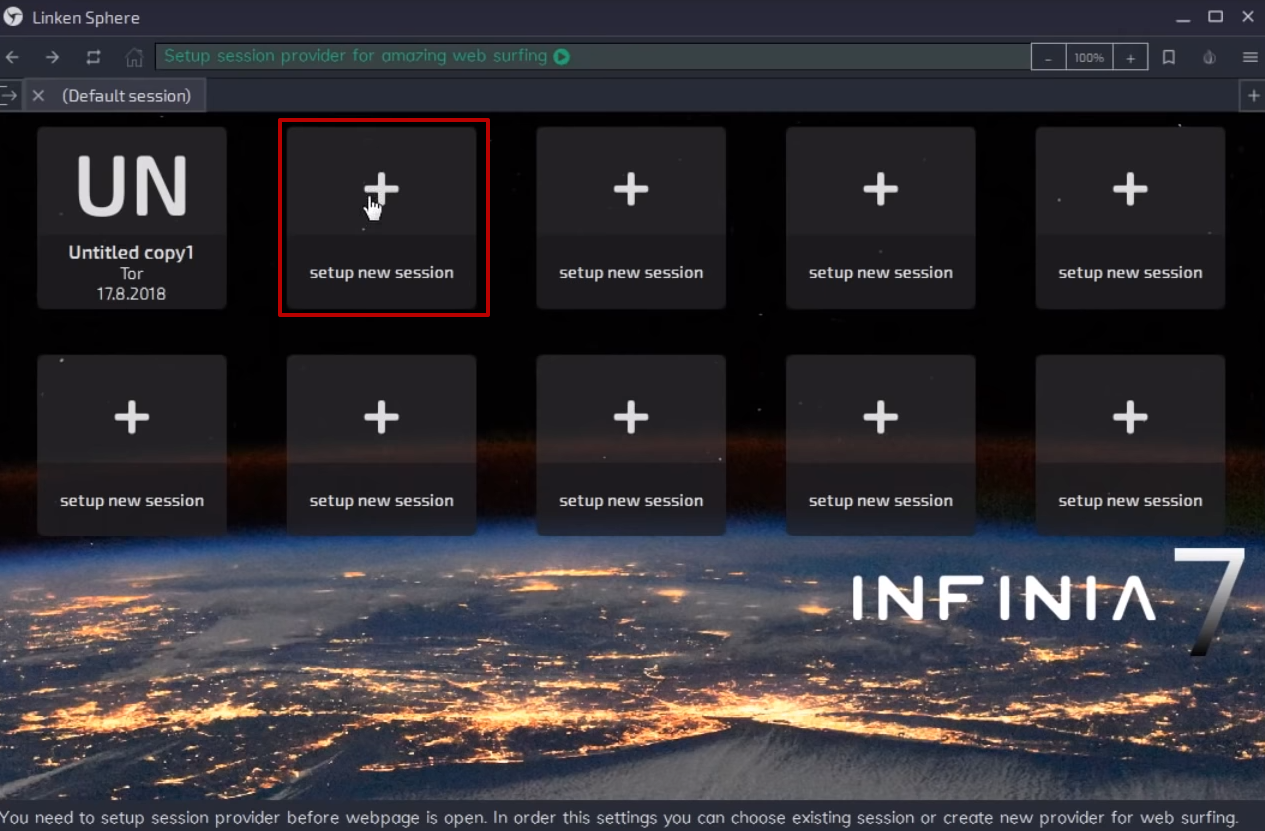
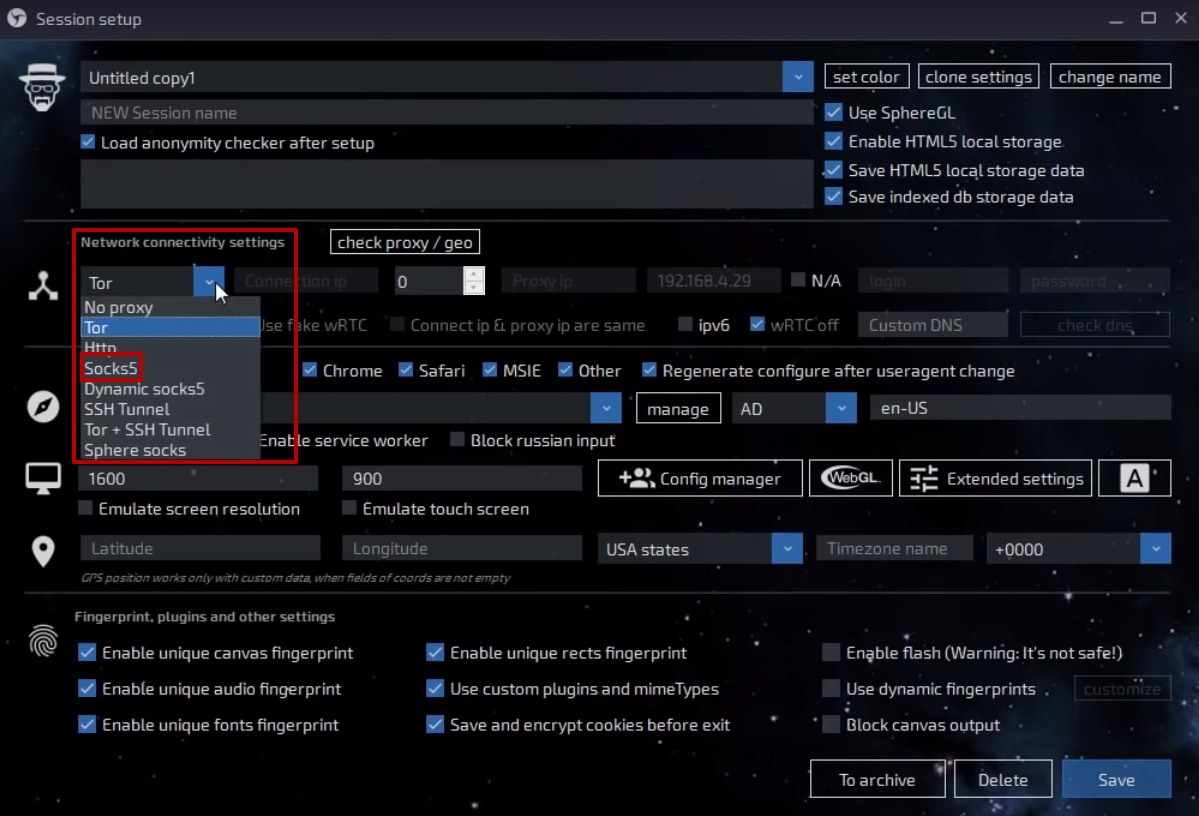
- In the newly opened window find the Network connectivity settings section, and choose from the drop-down box the required protocol. We`ll choose the socks5.
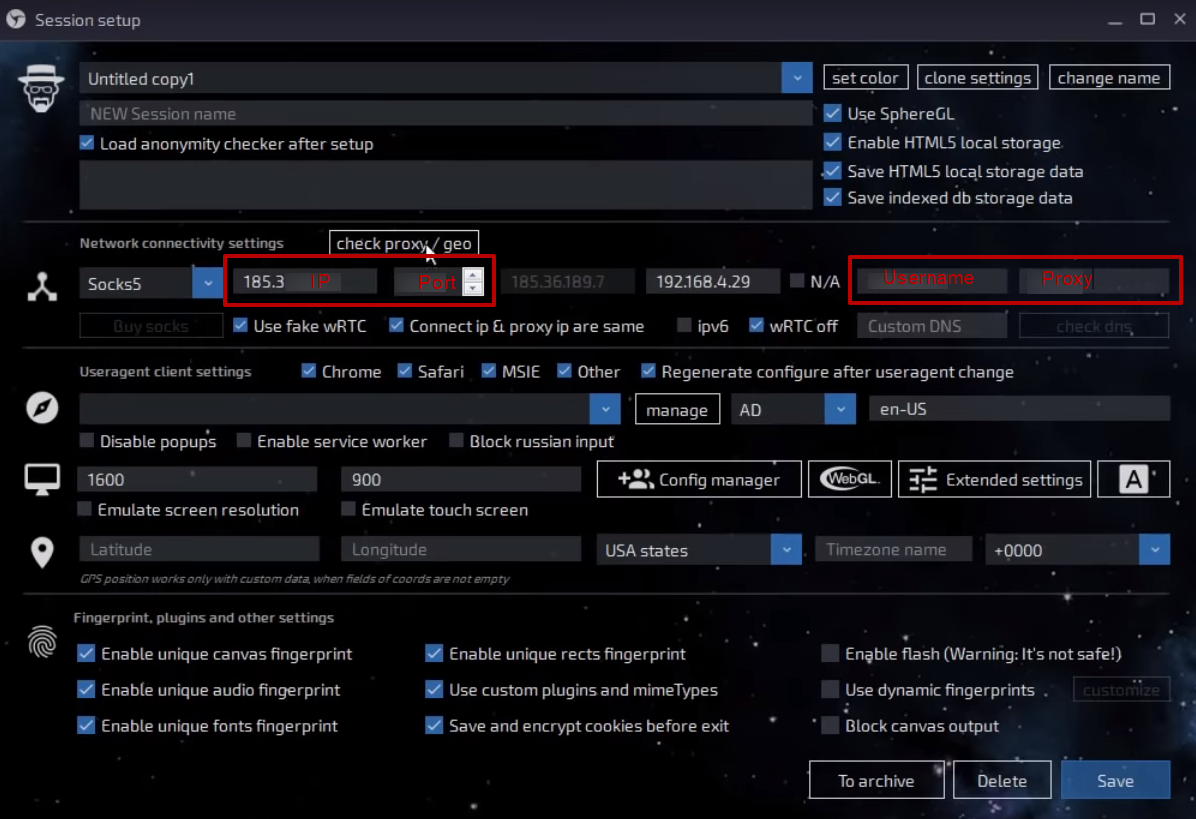
- In the IP address and port fields, enter the required data. Also, if the IP authentication has been chosen via login and password enter such data in the Username and Password fields. Such data can be found in the order submission mail if you have purchased elite proxy from Proxy-Seller, also in the personal panel.
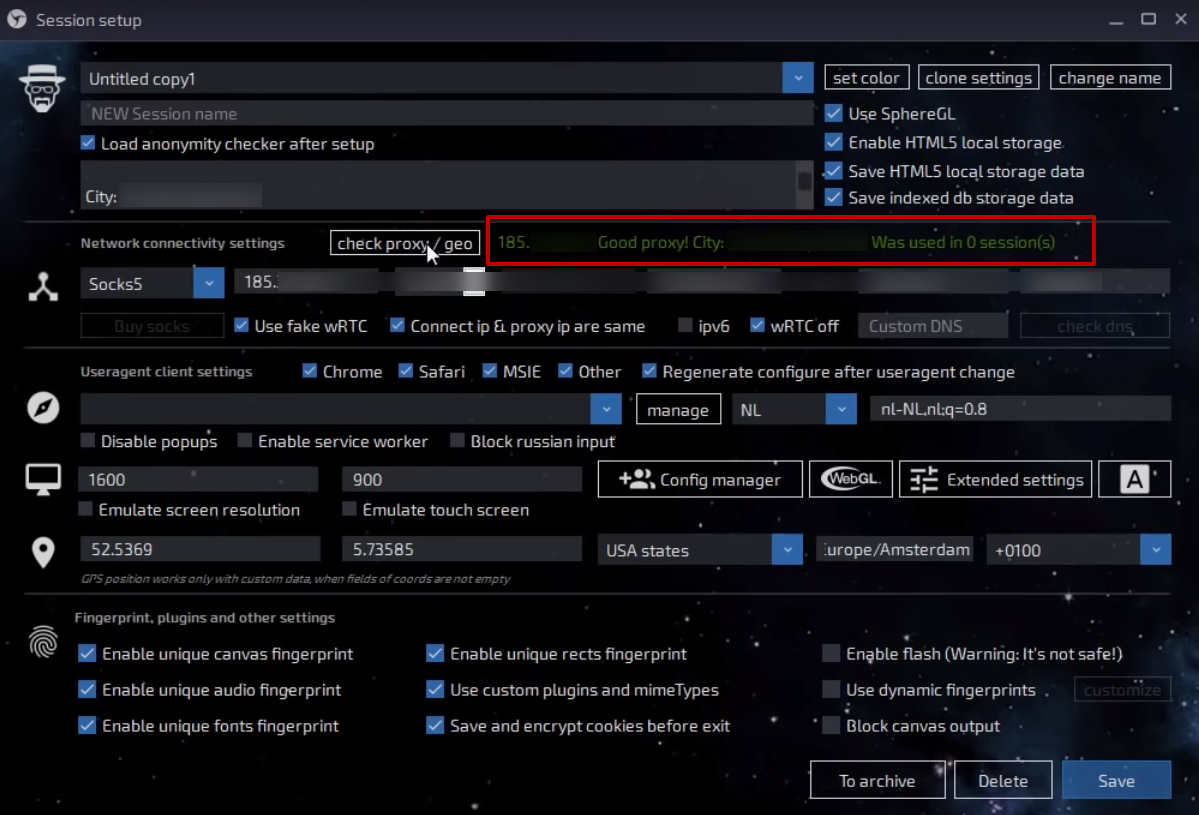
- After filling the required fields press the check proxy/geo button.
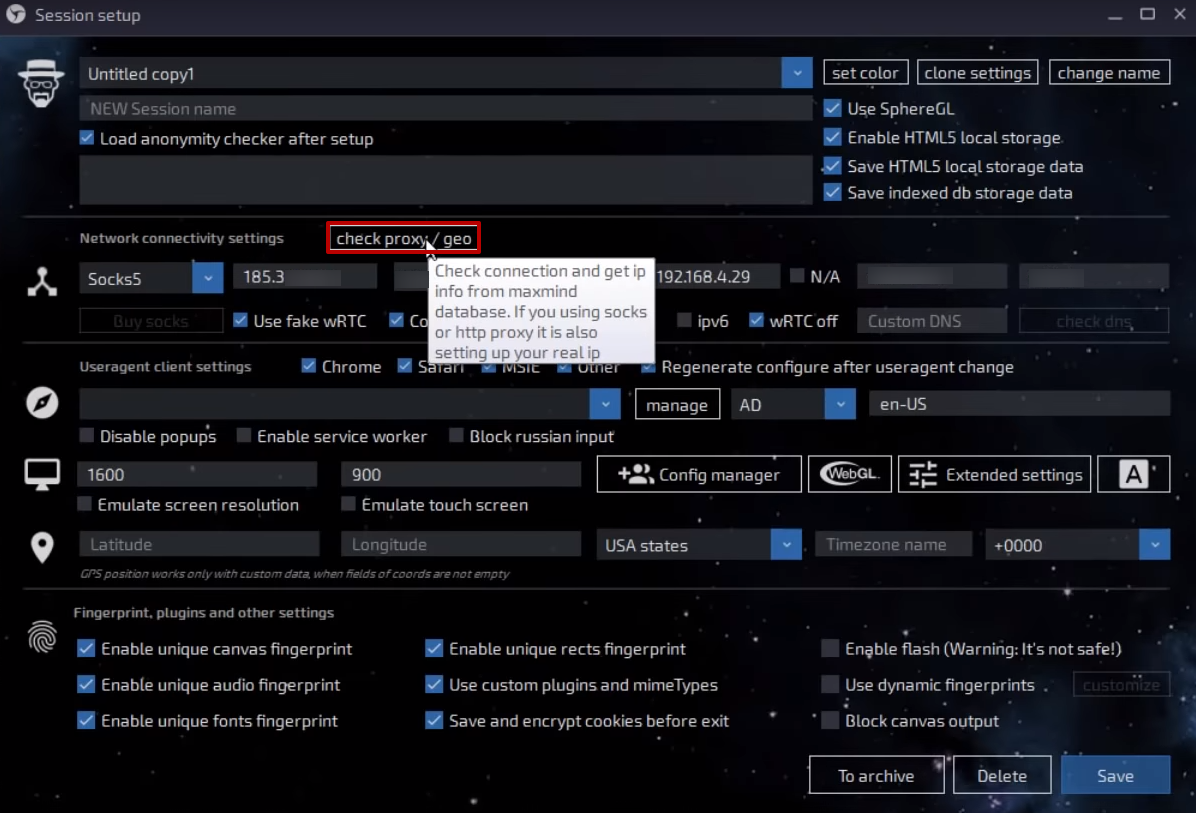
- The check must be finished with such a result. If you have faced any errors - check the proxy data fields.
- With successful results press the Save button.
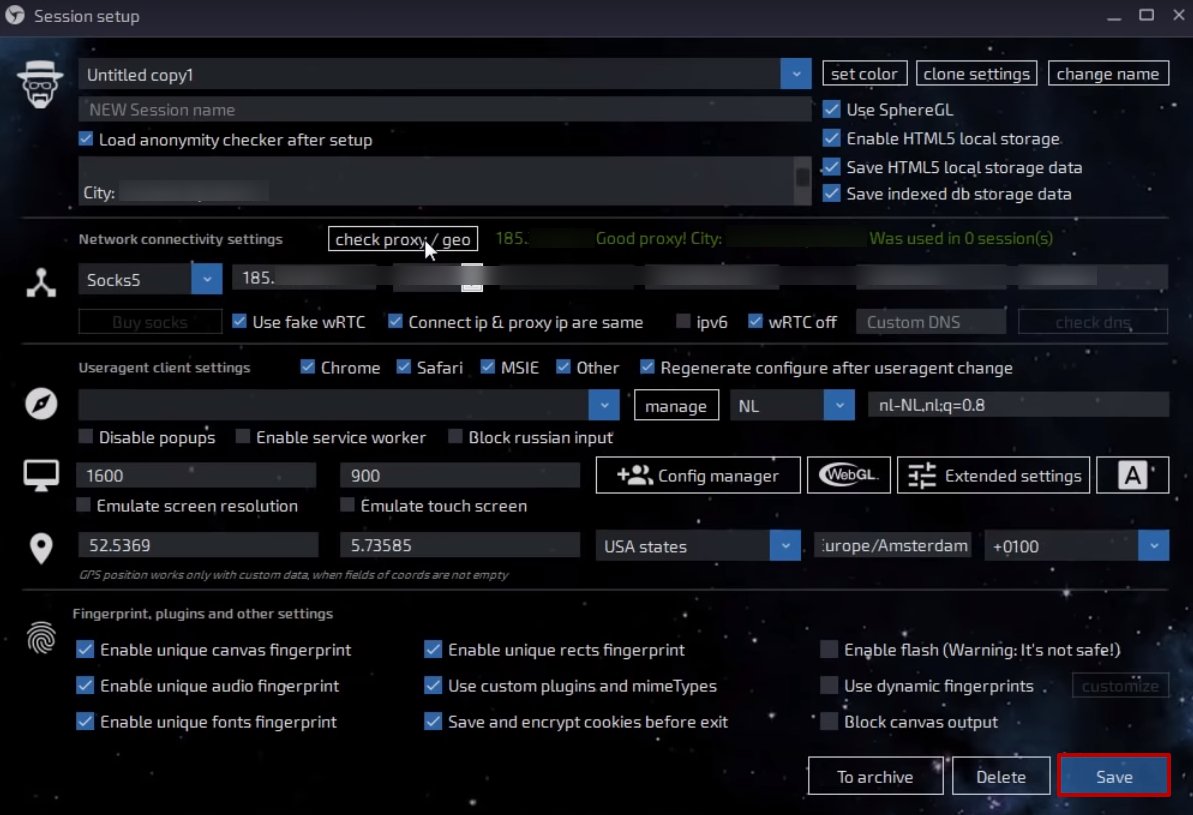
That it, the configuration is done properly. You can continue your secured surfing.
PROXIES FROM $0.02/IP
Ready to put this into practice?
Pick a proxy type and location, and start using it within minutes.
Instant delivery
24/7 support
Refund policy
About the author
Anastasia Lukinova
Editor & Content Manager @ Proxy-SellerRelated articles
Web Scraping
How to set up a proxy for Scrapy
Web scraping has become one of the most effective ways to collect information on the web, and Scrapy is helping many Internet marketers with this. But if you use it without a proxy, there is a risk of getting blocked. In this article, we will explain how to set up and use a proxy in Scrapy.
17 October 2022
User Guides
How to Set Up a Zoom Proxy
Explore solutions to common Zoom issues like firewall blocks and country-specific restrictions. Learn the effective method to bypass firewall protection and set up a proxy for seamless video conferencing and calls in Zoom.
07 December 2023
User Guides
Setting Up a Proxy in The AdsPower Browser
What is the AdsPower antidetect-browser, and how to set up and use proxies in AdsPower to bypass restrictions and blocks when managing multiple accounts? Instructions for integrating a proxy list into the AdsPower browser.
01 June 2021