

Oracle VM VirtualBox is a virtual machine manager that allows the user to perform virtualization and run several operating systems on a single physical machine, with each operating system working as a virtual machine in its own right.
Dedicated proxy allows the data to be properly relayed between the said machine and the outer net. Merging VirtualBox with a proxy strengthens security because the real IP address of the virtual machines is not visible from the outer networks due to anonymity provided by the proxy. When choosing a IP type, focus on the tasks you plan to perform. You can select a suitable solution from our catalog, where we offer static IPs such as ISP proxies, along with several other options designed to cover any specialized use cases, including private mobile proxies.
There are two main options that allow configuration of a proxy in VirtualBox:
Next, we will outline the steps necessary for achieving each of the proxy configuration methods.
In this scenario, the most effective approach is to utilize the Proxifier software, which enables the proxying of the entire user system. Proxifier allows the use of private proxy servers with authorization capabilities without any limitations. This is advantageous because, with standard setups on Windows, only browsers and applications that support proxy authorization are covered. The system settings themselves do not permit entering these credentials. Following this article, you will find detailed instructions on how to configure proxy settings using Proxifier.
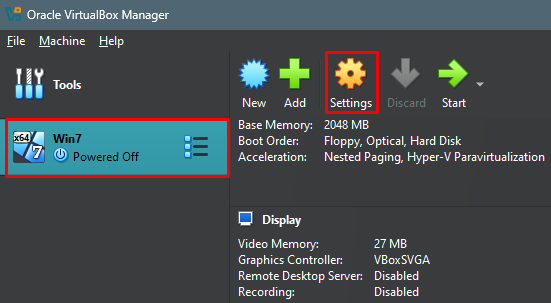
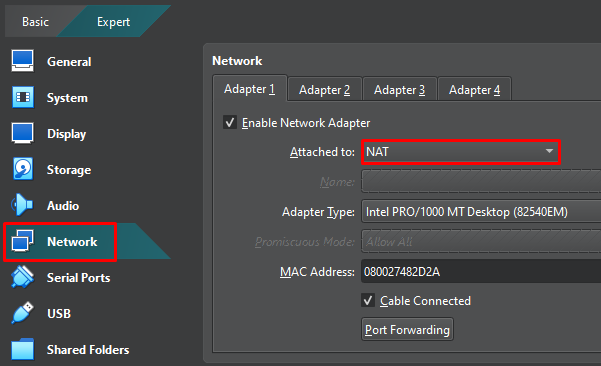
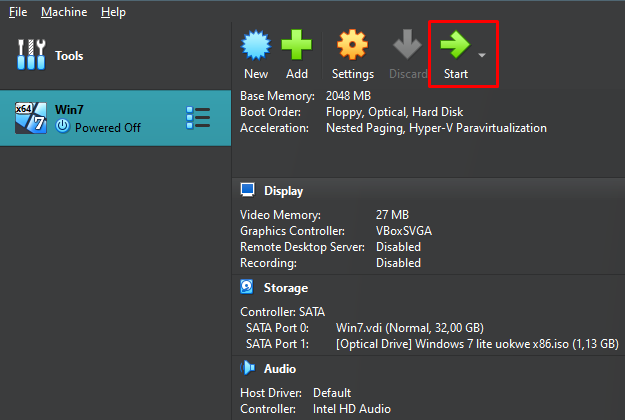
Windows OS is what we are emulating. Hence, the Proxifier program is the most suitable program for configuring the proxy. Proxifier works even for MacOS. For other OSs, you might have to use default OS configurations or other software tools that are designed for traffic proxying. In this application, it’s convenient to configure both static and dynamic IP addresses. For example, you can use a residential proxy server.
Utilizing a proxy with VirtualBox is crucial for enhancing network security. It also supports various use cases such as testing web applications, automating tasks and bulk requests, and accessing restricted or blocked resources. For optimal performance, consider using static ISP proxies, which offer speed and stability. Alternatively, dynamic residential or mobile proxy servers can provide a high level of trustworthiness.

 PHP
PHP Node.js
 Python
 Java
Java Golang
 en
en  Español
  中國人
中國人  Tiếng Việt
  Deutsch
  Українська
  Português
  Français
  भारतीय
  Türkçe
  한국인
한국인  Italiano
  Indonesia
  Polski
Comments: 0