
 Proxy for Telegram
 Proxy for LinkedIn
 Proxy for Google
 Proxy for Ebay
 Proxy for Twitter
 Proxy for TikTok
Step-by-step proxy setting tutorial in Xenon AIO Sneaker Bot

Xenon AIO Bot is a bot right in your browser that helps you buy sneakers quickly and in large quantities. With this bot, the chances of a successful purchase increase significantly, as it searches for the desired model by keywords, color, and size. It places an order automatically.
But there is a con: many branded stores do not like bots on their sites, so they easily detect and block them. To bypass the security system, the smart bot algorithm simulates the actions of an ordinary person and works with minimal delays. But in practice, this is not enough to completely protect yourself from blocking. How to solve the problem?
Use proxy for Xenon AIO Bot! A configured proxy server will hide your real IP address, help you bypass all blocking and captchas, and branded sites will not even understand that a bot has visited them. In this article, you will find instructions on how to set up a proxy in Xenon Snkrs Bot.
Video guide for setting up a proxy in Xenon AIO Bot
Proxy settings in Xenon AIO Bot
This bot differs from many others in that it works right in your browser. Due to this, there are no complicated settings in it, and you can install a proxy in a couple of clicks.
- After installation, open the bot in the Browser.
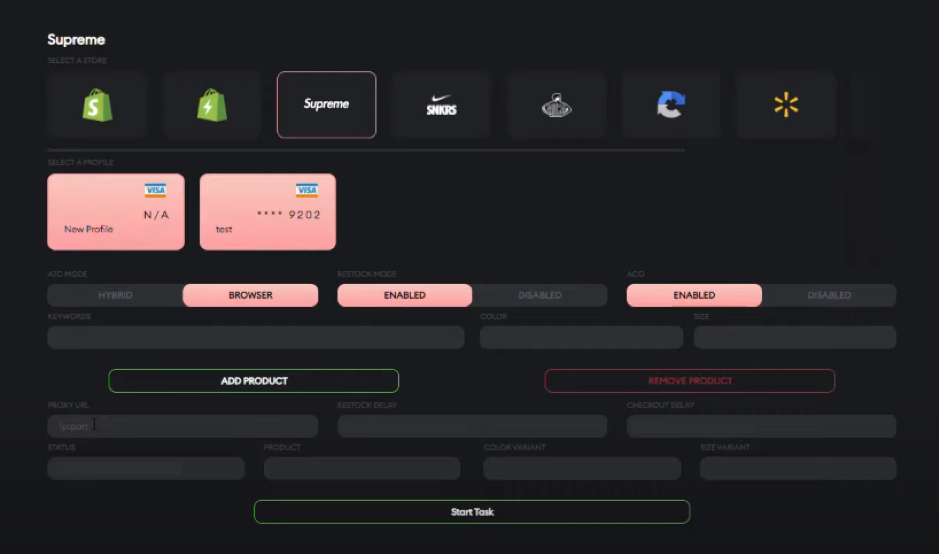
- Find the line "Proxy URL".
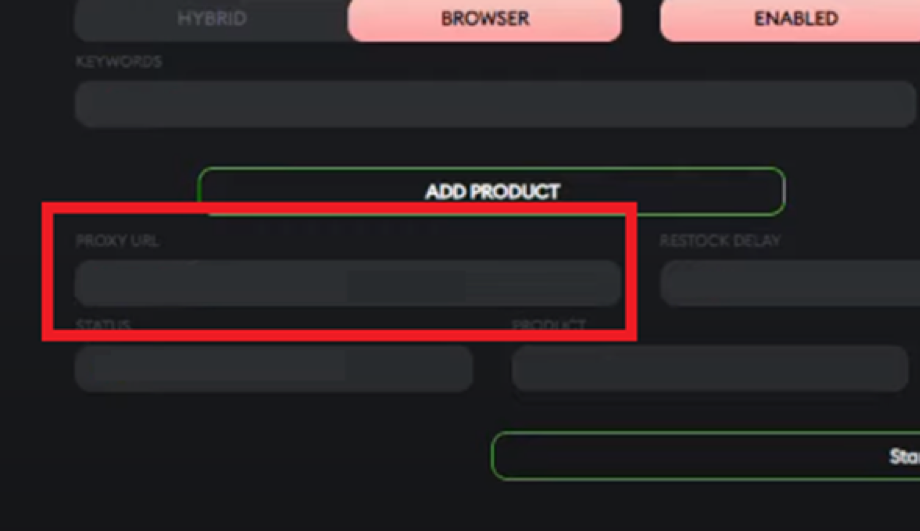
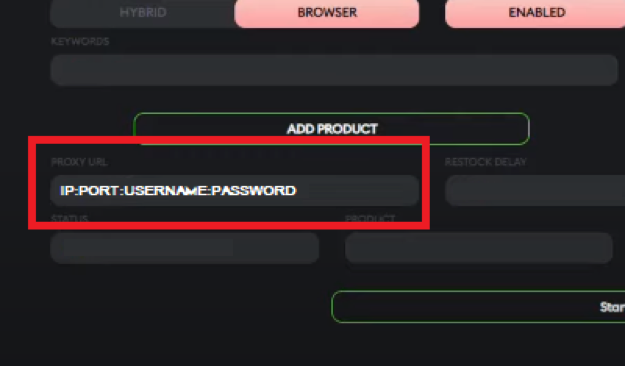
- In the field separated by a colon (:) without spaces, enter the following: IP:PORT:Username:Password.
- Enter other settings for your order and click "Start Task". Ready!

You can use different proxies for each task. The more proxy servers, the safer your shopping will be.
Recommendations
- Use one proxy server per account. If the site system sees different actions from the same IP address, you may run into a block.
- Prefer reliable paid proxies. Cheap and especially free servers may already be on the "black lists" of branded sites. They are of poor quality and slow, so such proxies will do more harm than good.
- Use mobile 4G/LTE proxies. They work through the mobile Internet and are best suited for Xenon Sneaker Bot: the site security system will see the IP address of the mobile operator, moreover, such proxies are fast and allow you to perform several tasks at the same time.
Now you know why and how to set up proxies in Xenon All-In-One Bot. Remember that the safety of your bot is important if you're in the mood for a successful "catch" of branded sneakers.
PROXIES FROM $0.02/IP
Ready to put this into practice?
Pick a proxy type and location, and start using it within minutes.
Instant delivery
24/7 support
Refund policy
About the author