
 Proxy for Telegram
 Proxy for LinkedIn
 Proxy for Google
 Proxy for Ebay
 Proxy for Twitter
 Proxy for TikTok
How to set up and use a proxy in Somiibo

Somiibo is an adaptable platform for automating social media tasks on platforms like Instagram, TikTok, Twitter, YouTube, and SoundCloud. Its key feature is sessions, enabling you to manage multiple accounts on one platform, each with its own proxy and user agent. To make the most of Somiibo, you'll need to know how to set up a proxy, which we'll explore in detail in the following instructions.
Video guide for setting up a proxy in Somiibo
Step-by-step guide on how to set up a proxy in Somiibo
The platform is compatible with Windows, Linux, and Mac operating systems. Here's how to set up a proxy in Somiibo:
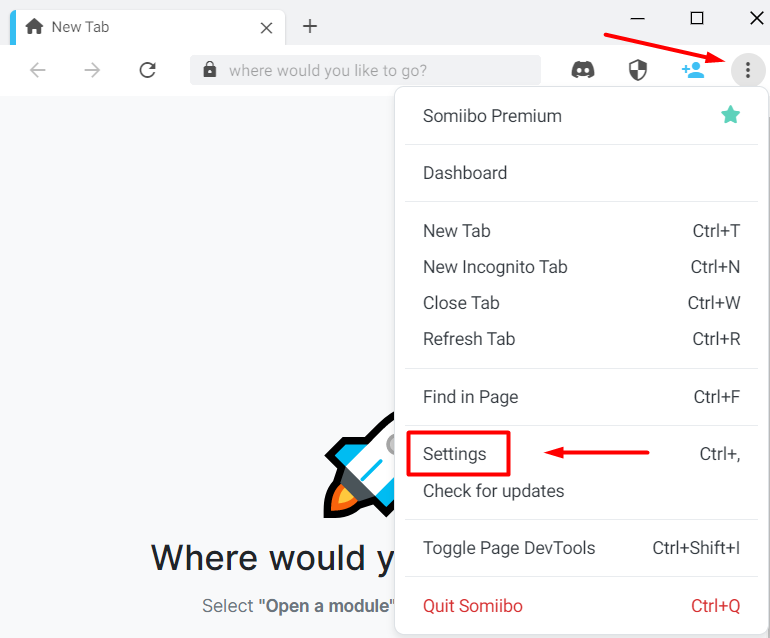
- Download and install the program, then access the settings section by clicking on the three dots at the top of the main window and selecting “Settings”.
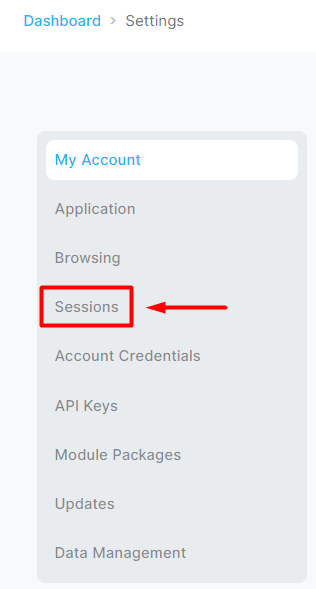
- Navigate to the “Sessions” category.
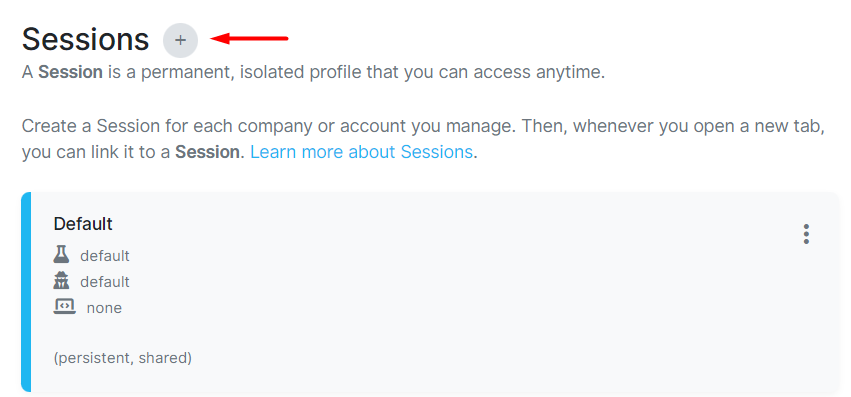
- In the new window, you'll see default and incognito mode sessions. While you can edit these, it's more convenient to create a new session for each platform. Click on the “+” icon to do this.
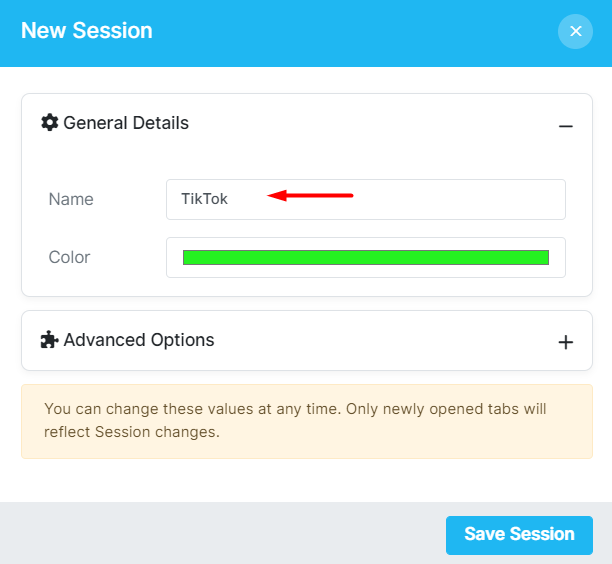
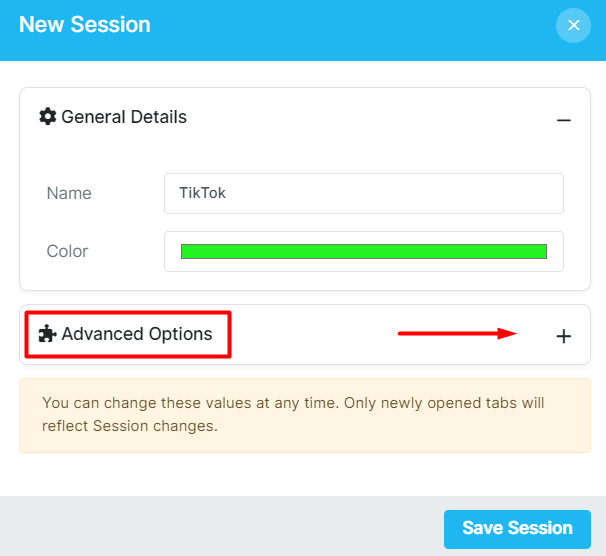
- Set a name for your new session in the settings.
- Expand the menu in the “Advanced Options” category.
- Enter your proxy information in the “Proxy” line. If using private proxies, enter the data in this format: “protocol type:username:password@ip:port”.
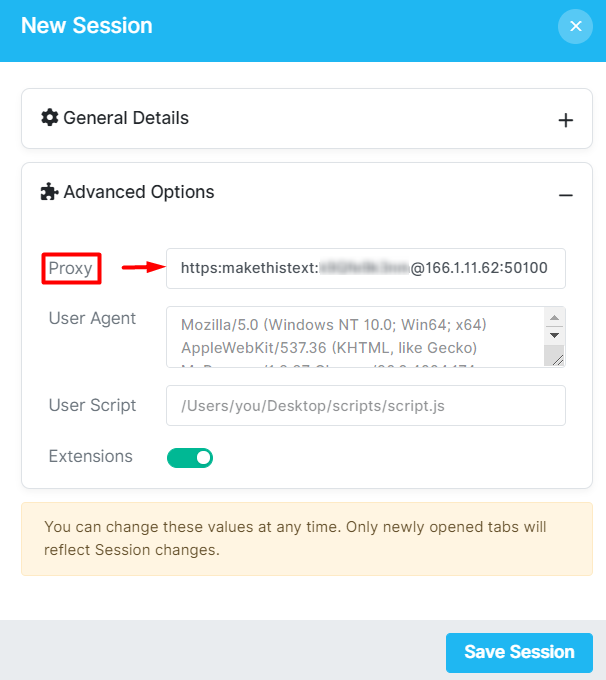
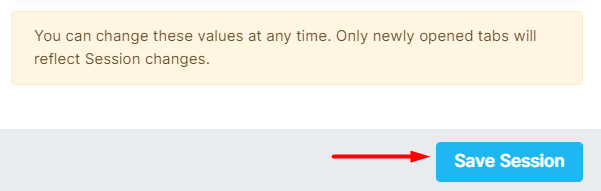
- Optionally, set a separate User Agent for this profile and click “Save Session”.
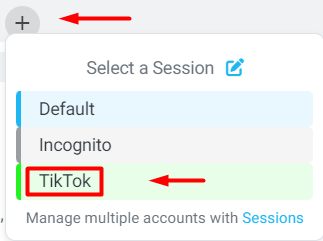
- Your proxies are now configured. When you open a new tab, you'll see a list where you can select the session you want to work with.
This program allows you to configure multiple proxies for a single platform, enabling multi-account management, or operating with multiple social networks in a single window. Using a proxy with Somiibo's automation modules helps you avoid blocks and bypass geo-restrictions.
PROXIES FROM $0.02/IP
Ready to put this into practice?
Pick a proxy type and location, and start using it within minutes.
Instant delivery
24/7 support
Refund policy
About the author