
 Proxy for Telegram
 Proxy for LinkedIn
 Proxy for Google
 Proxy for Ebay
 Proxy for Twitter
 Proxy for TikTok
New Proxy-Seller dashboard: built around your workflow

We redesigned the Proxy-Seller dashboard from the ground up as part of the broader update of our website. The focus wasn't just on changing the interface. We looked at the tasks our clients repeat every day (finding proxy lists, exporting addresses, checking payments, managing affiliate earnings) and made new features easy to access and use.
The result is a workspace that's more functional and intuitive. You can organize and export proxies more quickly, monitor affiliate income without digging through menus, see when a larger order would reduce your price per IP, and manage billing, security, and support from the same place.
See the changes we made below.
Four dashboard updates you'll use most
The biggest improvements are in the parts of the dashboard people open most often: proxy management, affiliate tools, pricing, and billing.
1. Proxy lists are easier to organize and export
Most customers spend more time managing proxy lists than anything else, so that's where the biggest changes happened.
Now you can:
- Copy selected addresses. Choose the proxies you need and copy them with no export required.
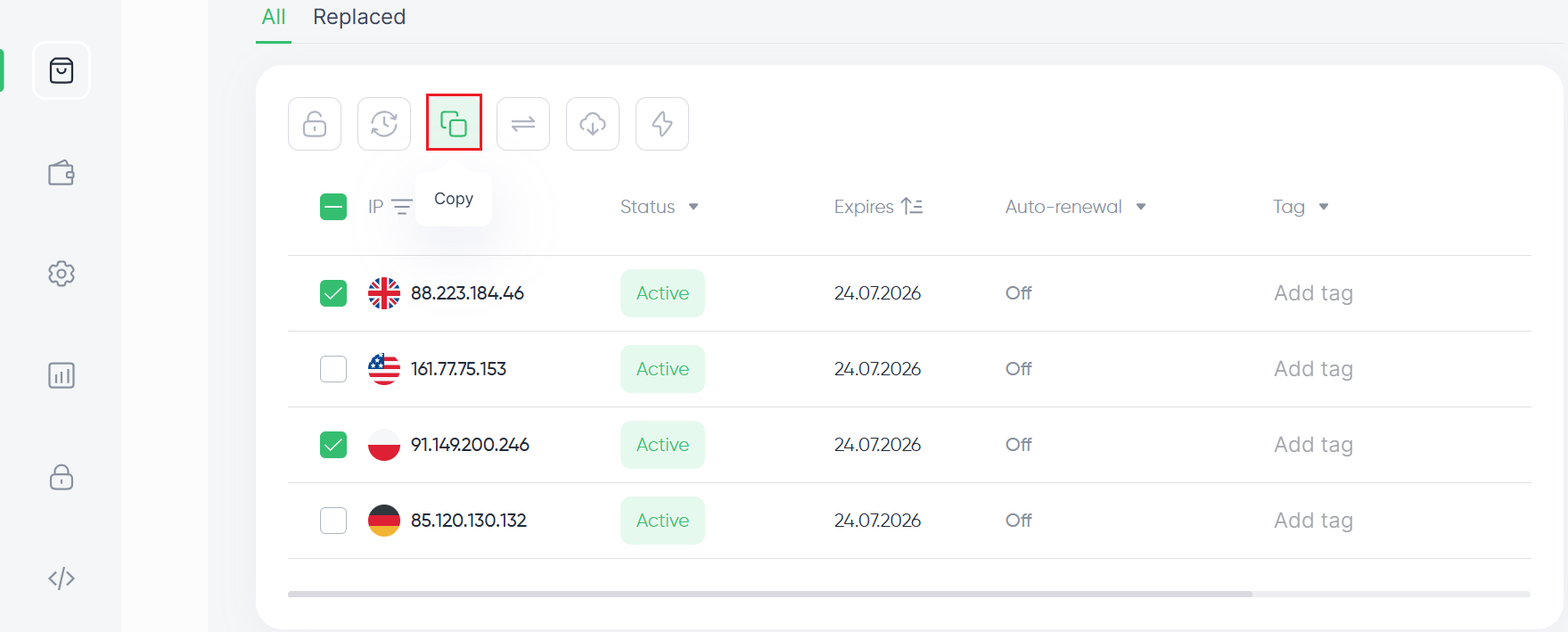
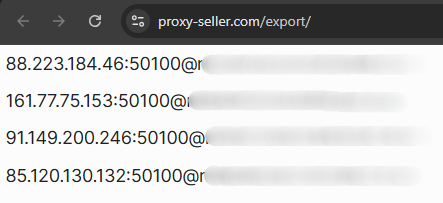
- Do a quick export. Open a new tab with your selected proxies already formatted as IP:PORT@LOGIN:PASSWORD, ready to paste into your software.
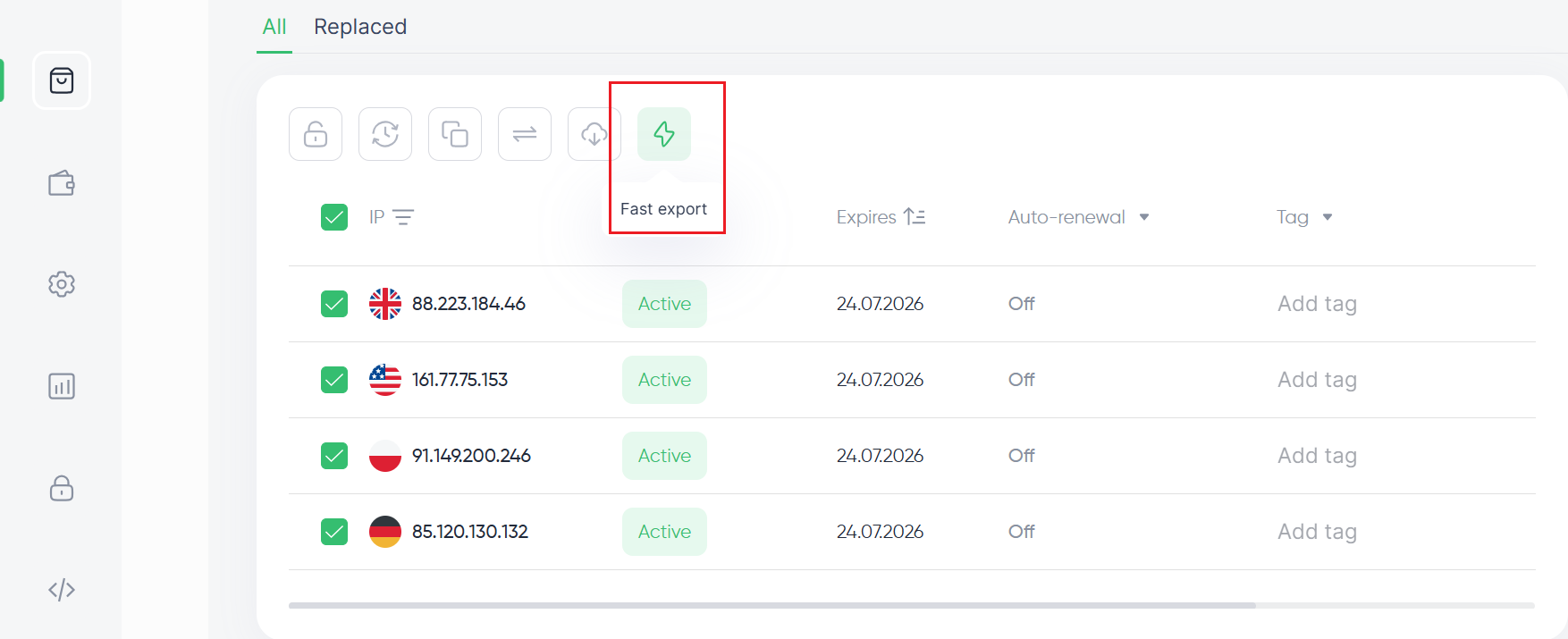
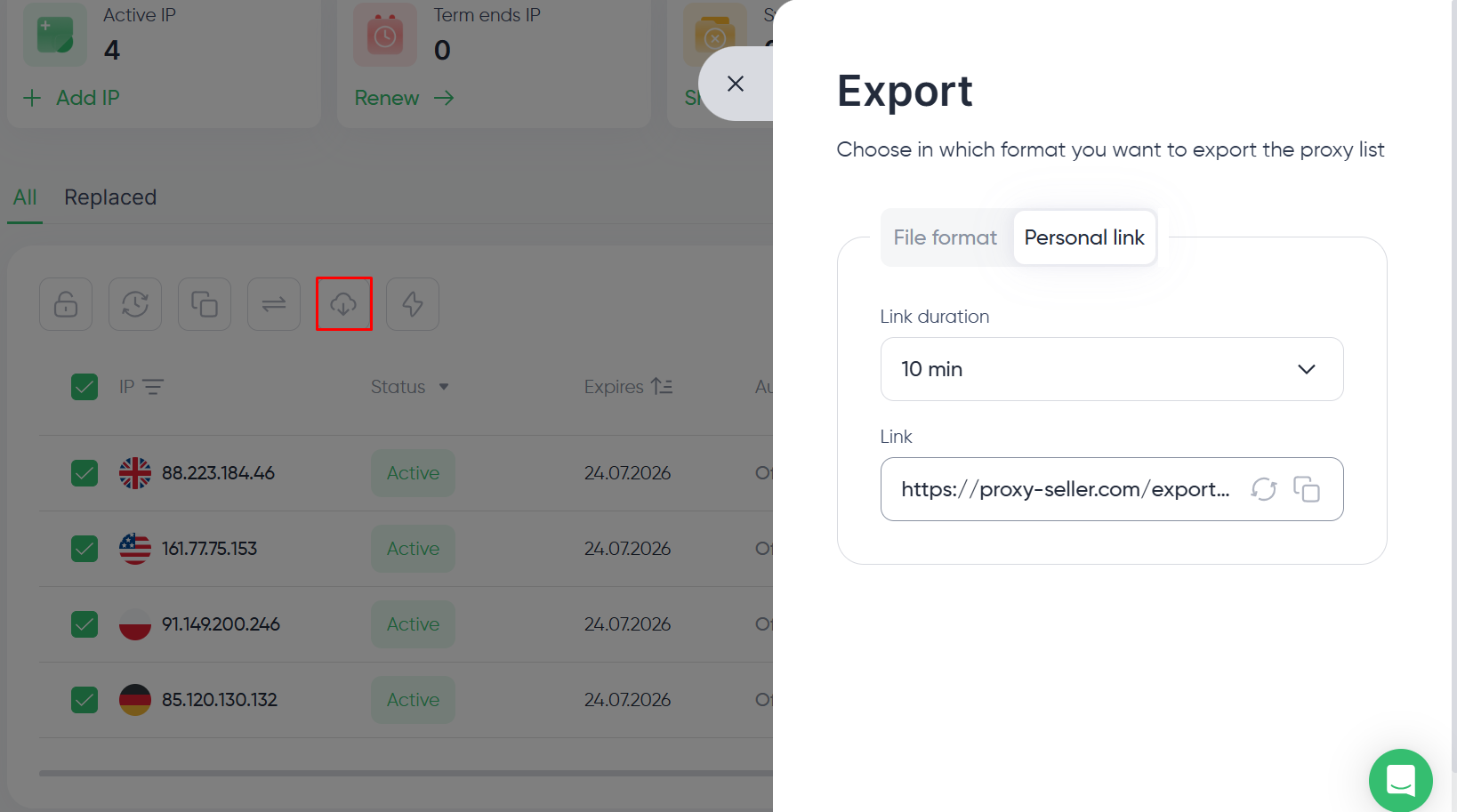
- Get shareable export links. Create a temporary link to a proxy list, choose how long it stays active, and send it to a colleague without giving them access to your account.
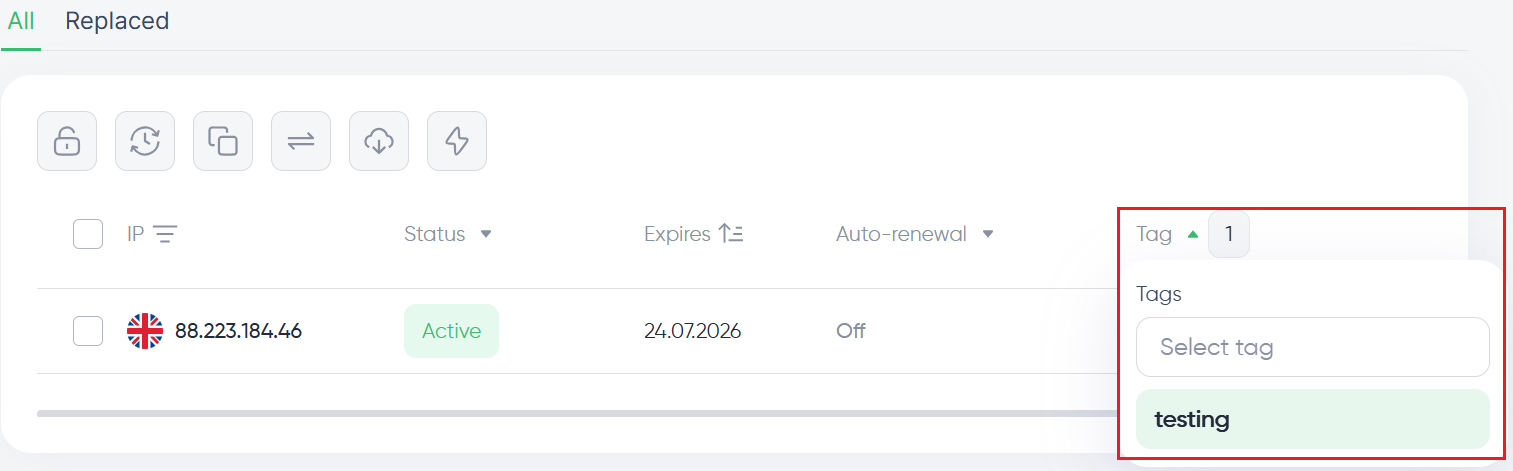
- Use multiple tags. Assign several tags to the same proxy. If there are too many to display, the extras collapse into a +n label, and hovering over it reveals the complete list. You can filter by one tag or combine several.
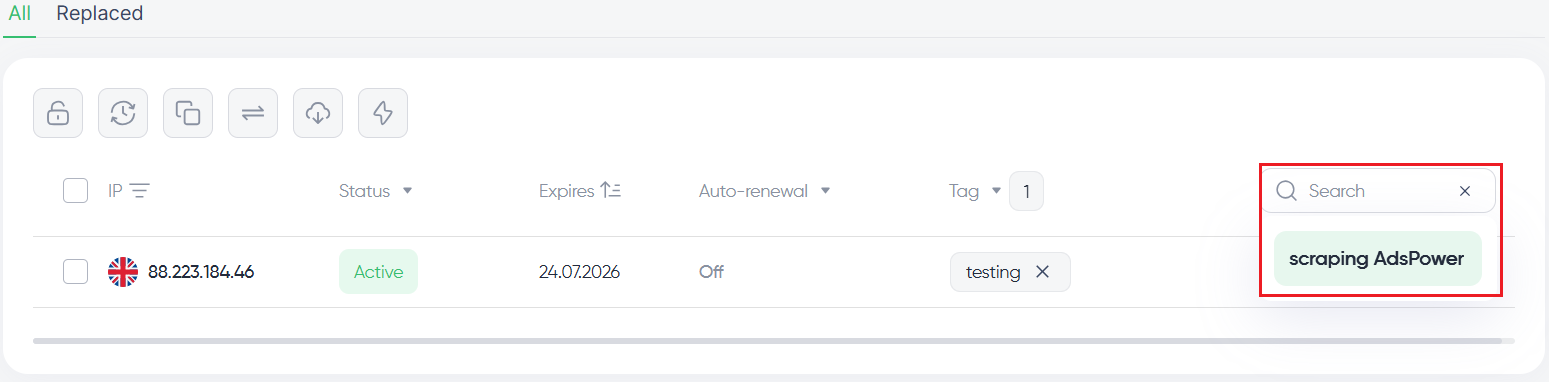
- Search through comments. Comments now appear in search results, and previously used entries are suggested while you type. Tags work well for grouping proxies, while comments are useful for notes tied to specific projects or clients.
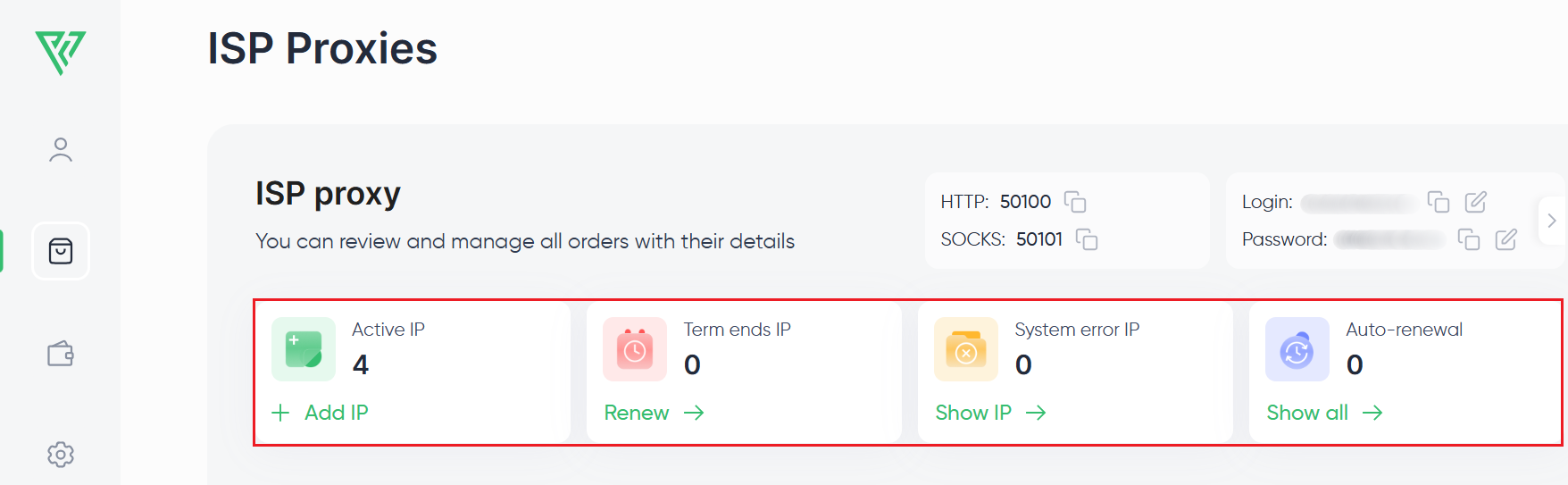
- Proxy status categories. Addresses are grouped into Active, Expiring, Auto-renewing, and System errors. The last category is new and highlights proxies affected by infrastructure or availability issues that may need attention.
2. Affiliate earnings are easier to follow
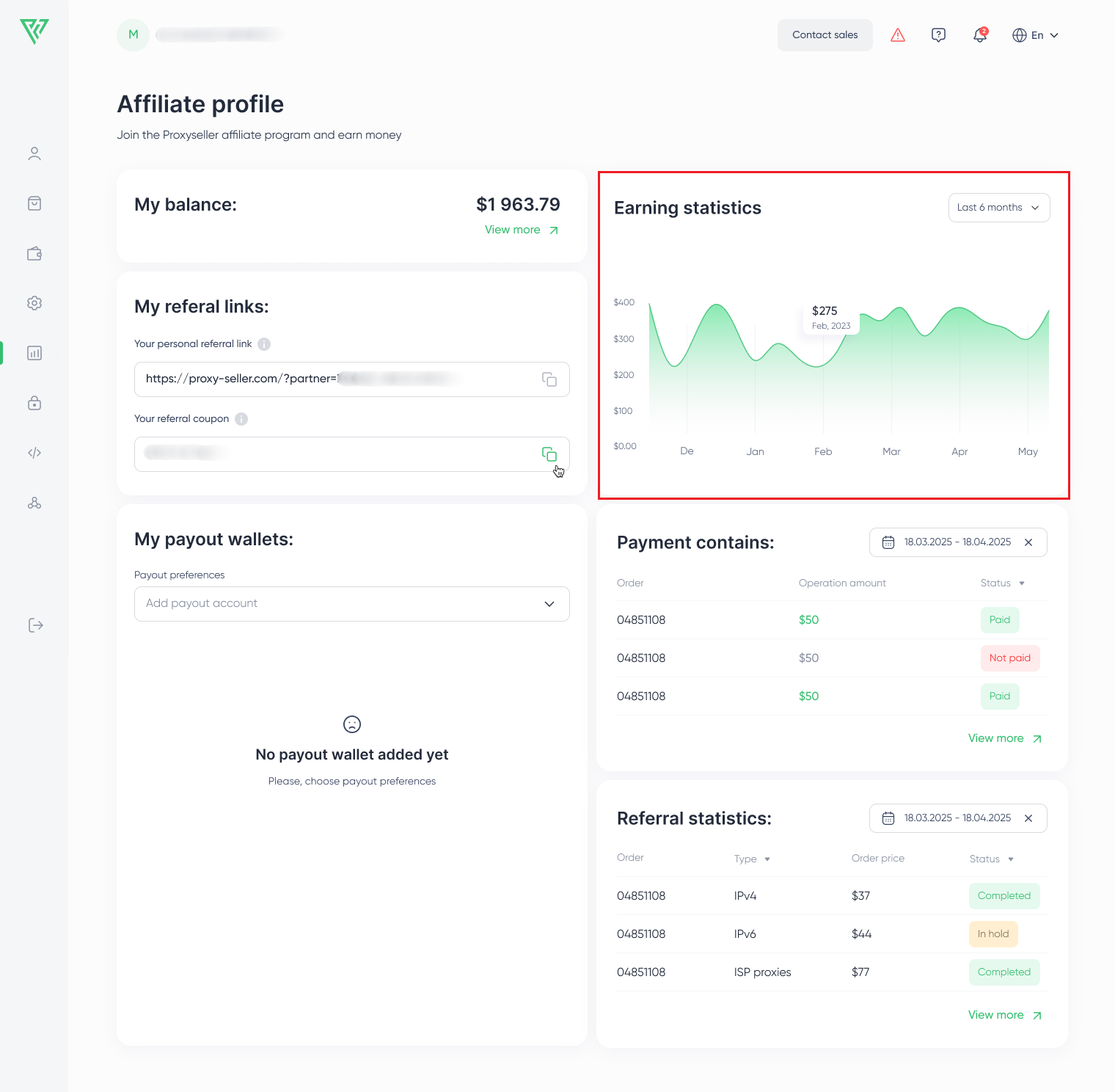
The Affiliate section has been reorganized to make balances, payouts, and earnings history easier to understand.
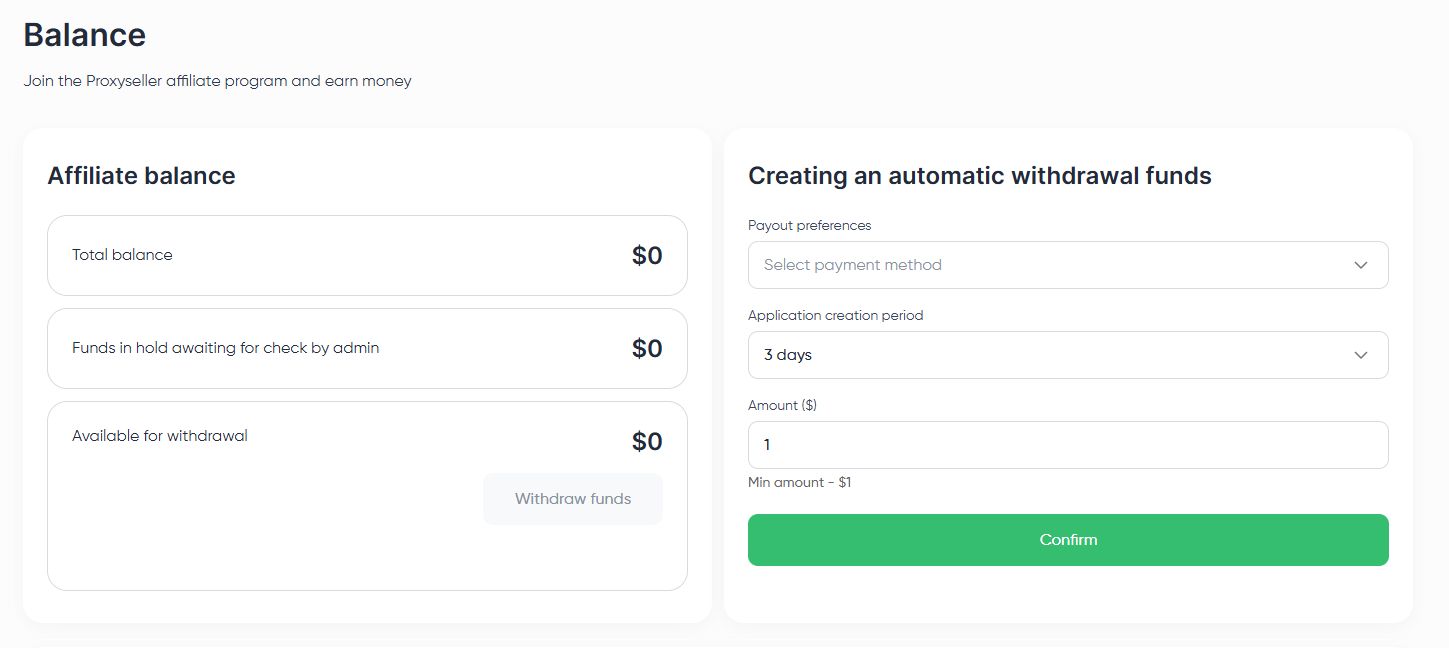
The My Balance card now provides a quick summary. Selecting View more opens a dedicated Balance page, where funds are divided into three groups: total balance, funds on hold during review, and funds available for withdrawal.
Automatic withdrawals are now managed through separate payout rules. Each rule can have its own payout schedule and minimum amount, and multiple rules can run at the same time.
There's also a new earnings chart showing affiliate income for the last six months, making longer-term trends much easier to spot.
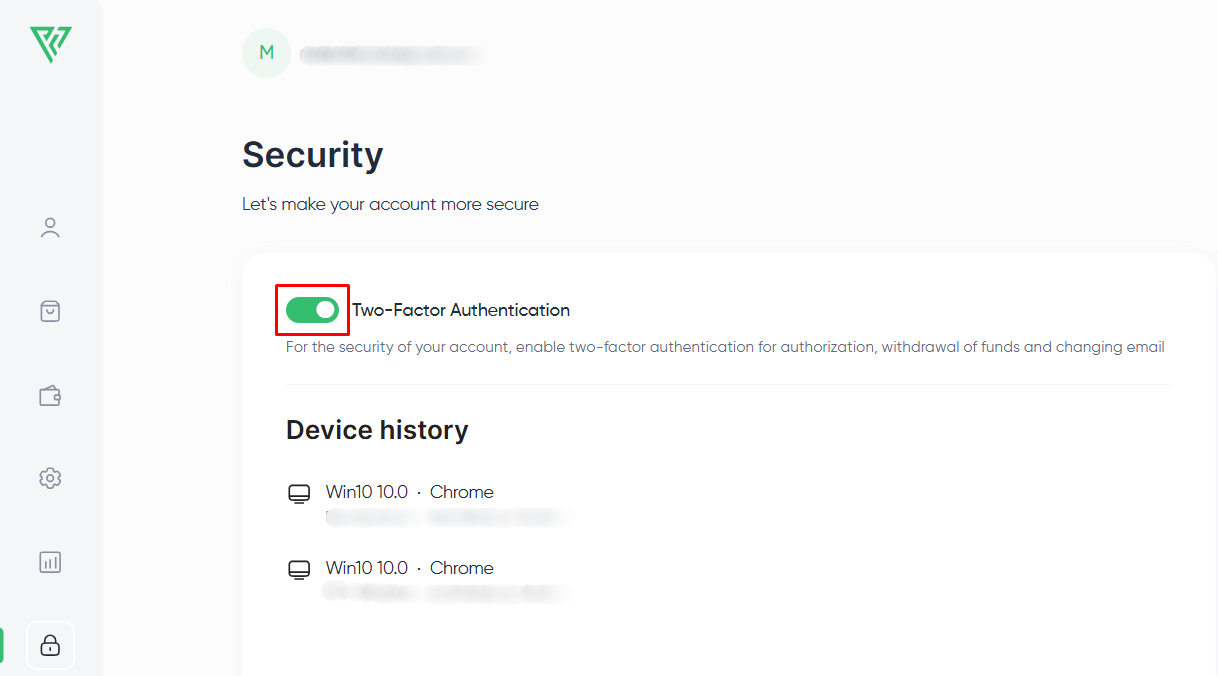
For added protection, automatic payouts are available only after you enable two-factor authentication.
3. Know when adding more proxies will lower price
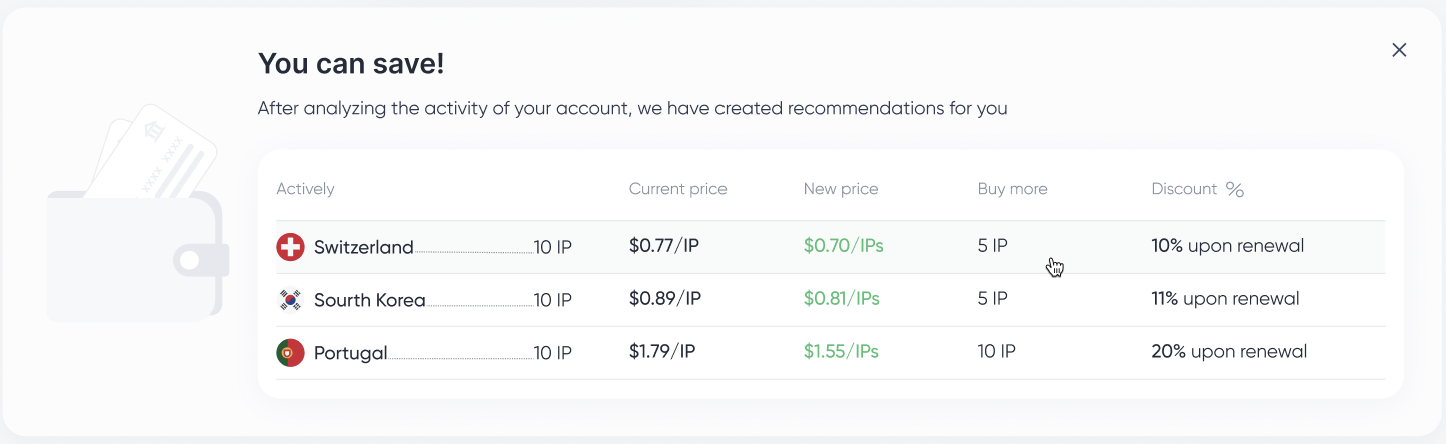
The dashboard now checks whether increasing an order's size would move you into a cheaper volume-pricing tier.
Instead of calculating the numbers yourself, you'll see how many additional IPs are needed, what the new price per IP would be, and how much you could save when renewing the order.
These recommendations refresh automatically as your order changes and also adapt when you add proxies in different locations.
4. Billing details are much more transparent
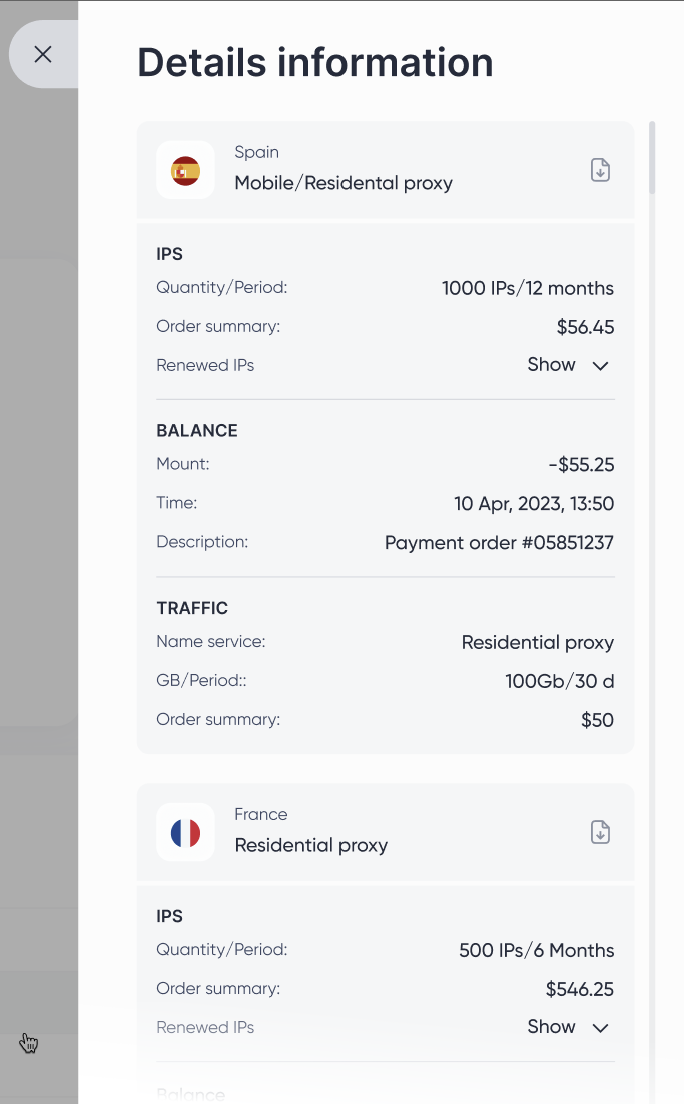
Every transaction now includes a complete breakdown.
Open Details to see the proxy type, location, quantity, rental period, order total, balance transaction, payment reference, timestamp, and traffic allocation where applicable. You can also download the invoice directly from the same page.
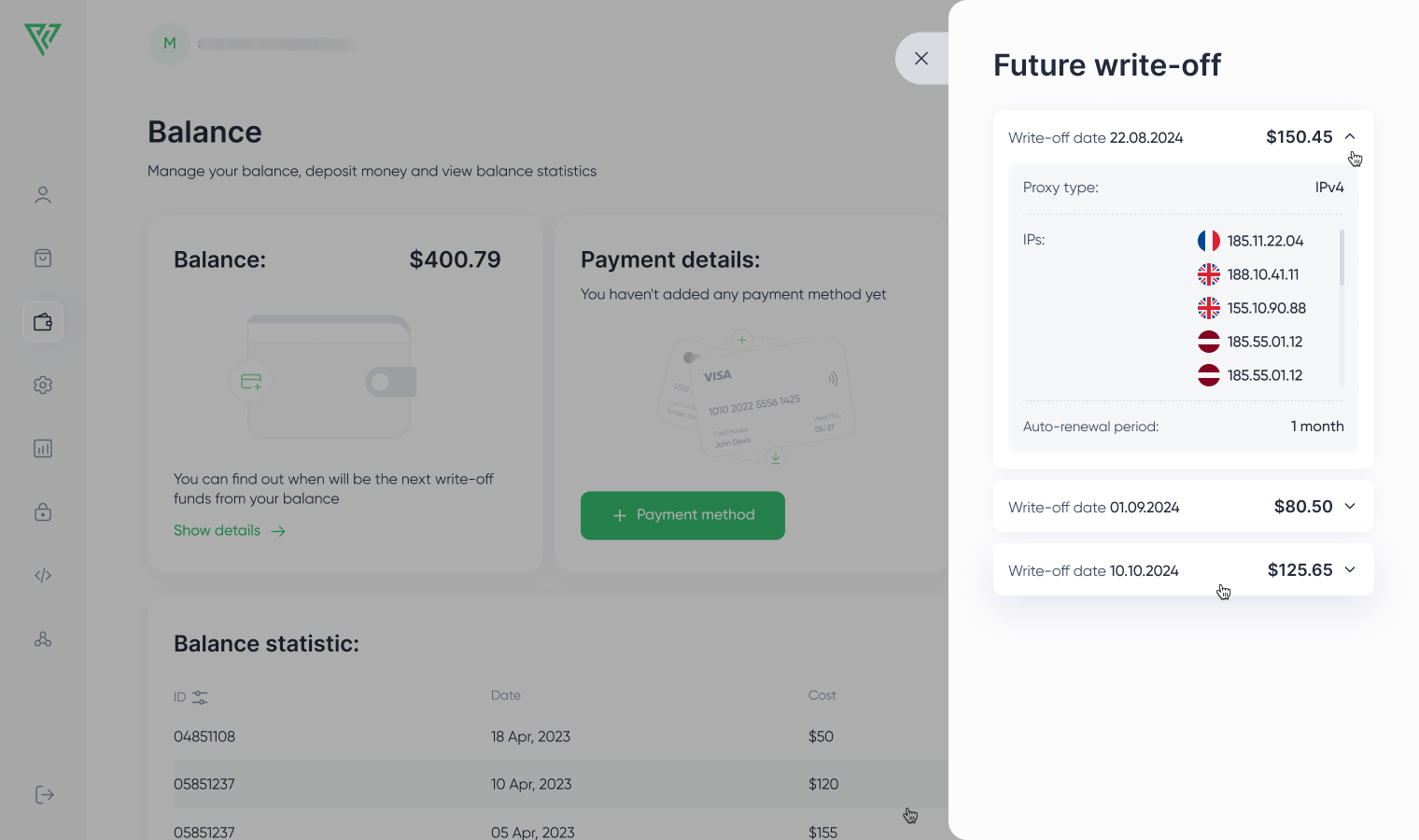
Recurring auto top-ups include additional information, making it easier to see why a payment was triggered and exactly what it covered.
A few smaller improvements you'll appreciate
Other dashboard functions have been updated as well.
Security settings are now in one place
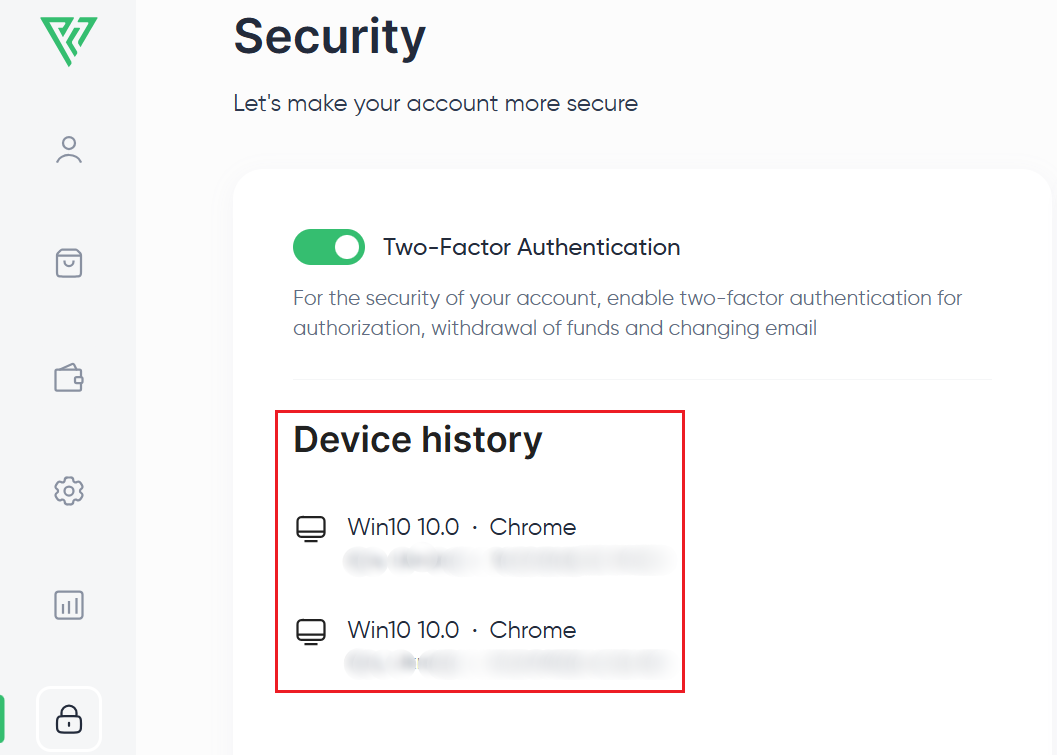
Login history and two-factor authentication now live under a dedicated Security section.
A new device history shows which browser or device was used to access your account, the approximate login location, and the date of each sign-in. Since 2FA settings are available in the same section, account security can be managed without jumping between different pages.
Review all account notifications in one place
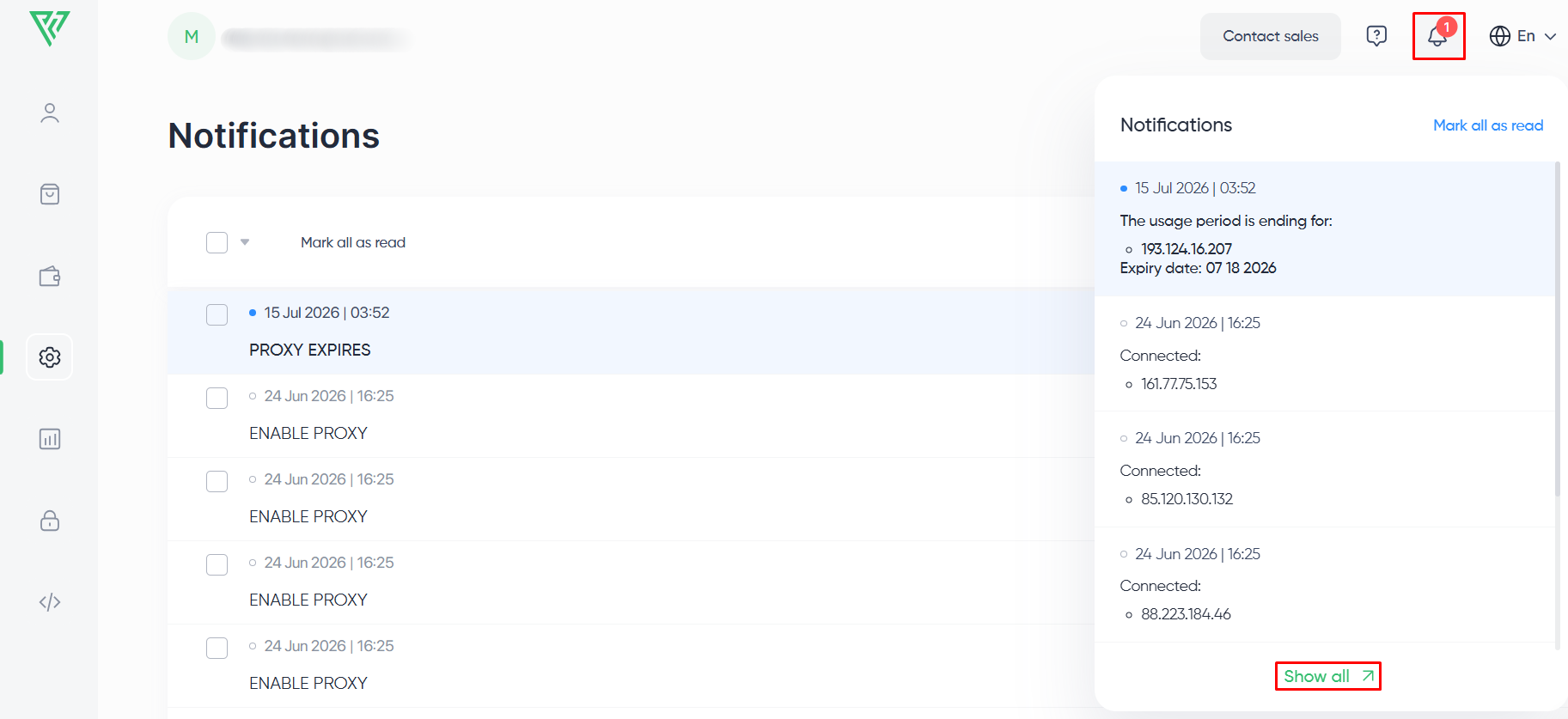
The notification bell top-right still works the way it always did. What's new is the full Notifications page behind it, where system events like proxy activations show up with timestamps and read/unread status. Go through your history, mark a batch as read, or clear out anything you no longer need.
View authorized IPs without digging through settings
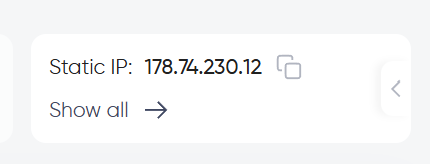
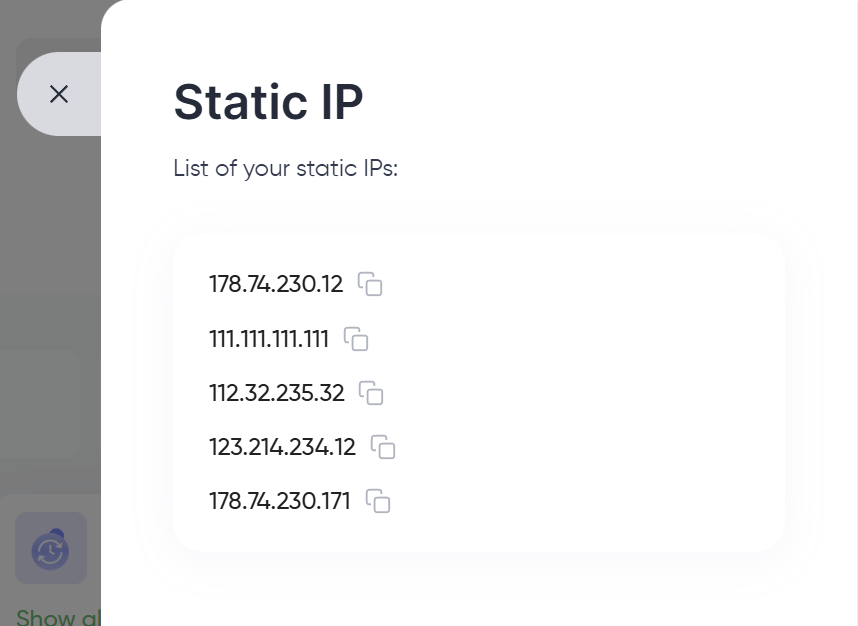
There's a new “Show all” button next to your authorization details that opens a drawer with every IP allowlisted for proxy authentication. No more digging through settings just to check or copy one.
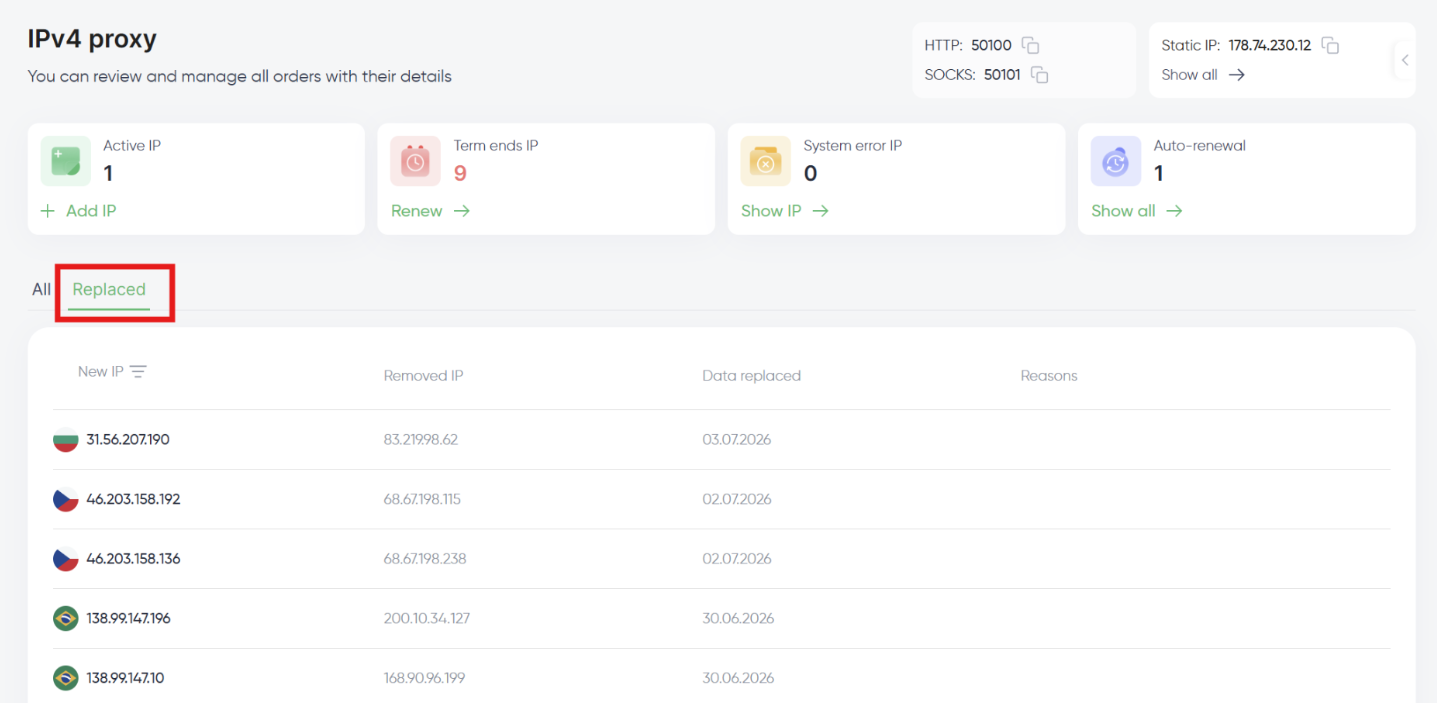
Find replacement records by proxy type
Replacement history used to be stored in a single shared log for each proxy type. Now each type gets its own tab, so you can check your residential replacement history without scrolling past datacenter entries.
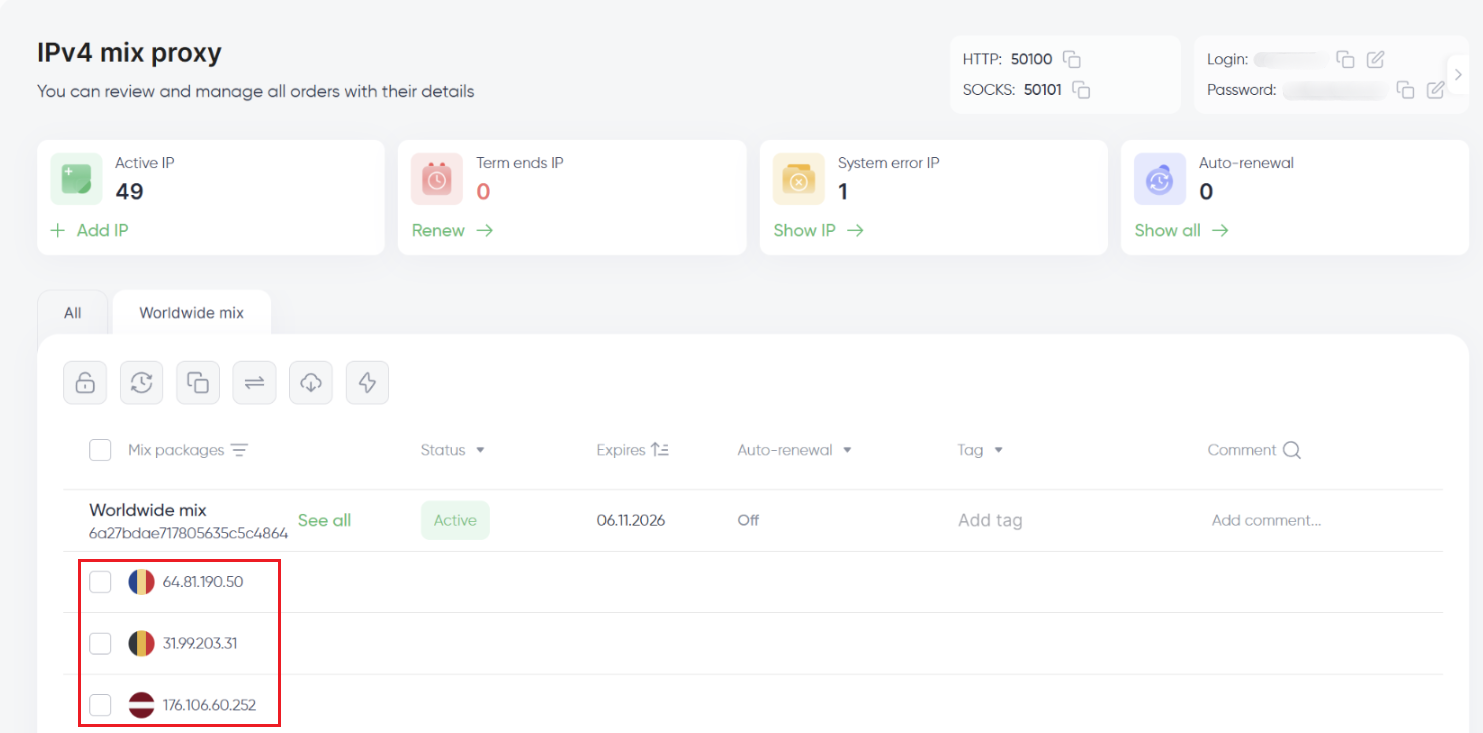
See Mix proxy locations
For Mix proxies, the address list now shows a country flag next to each entry, so you can tell where an address is located at a glance.
Keep replacement requests under control
Submit several replacement requests in a short window, and the dashboard routes you to support chat instead. From there, the team can dig into why the requests keep coming and help sort out whatever's causing it.
Monitor residential traffic and orders from one view
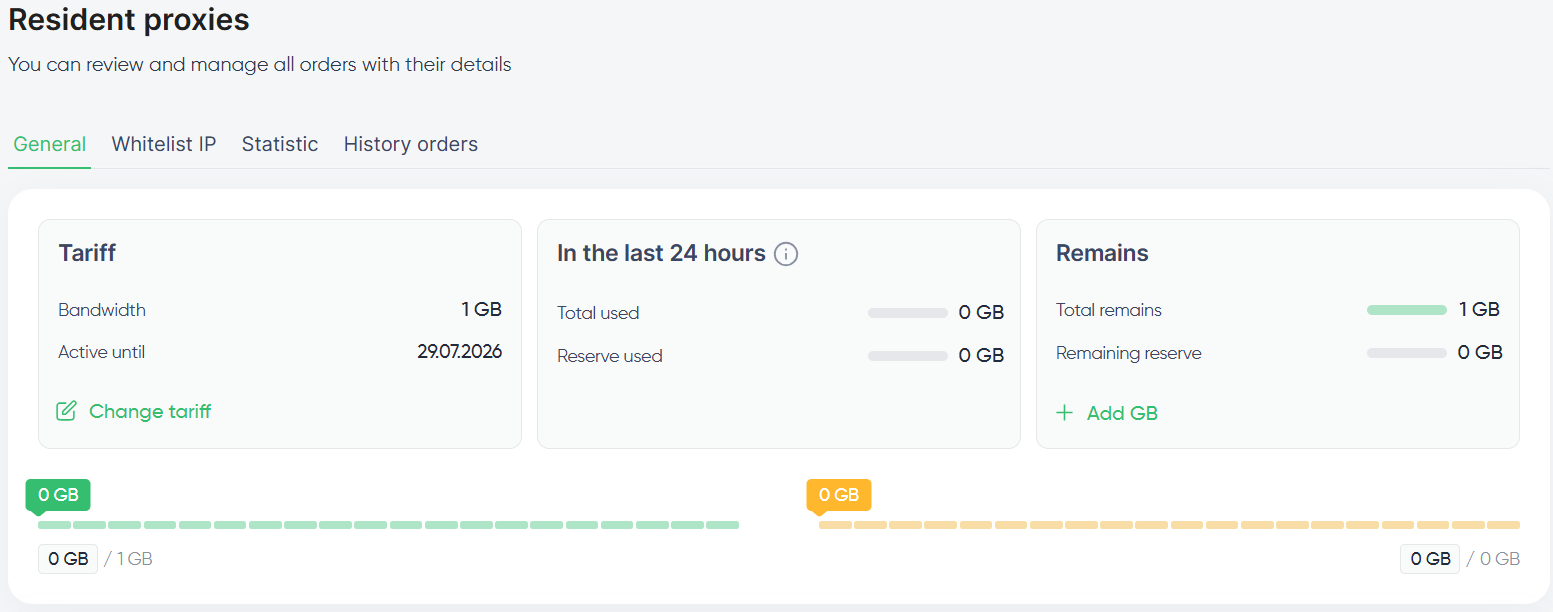
The Residential proxies section picked up two updates that make traffic and order info easier to track.
Order history, consumption history, and the allowlist are tabs now instead of separate buttons. Same content, just faster to switch between.
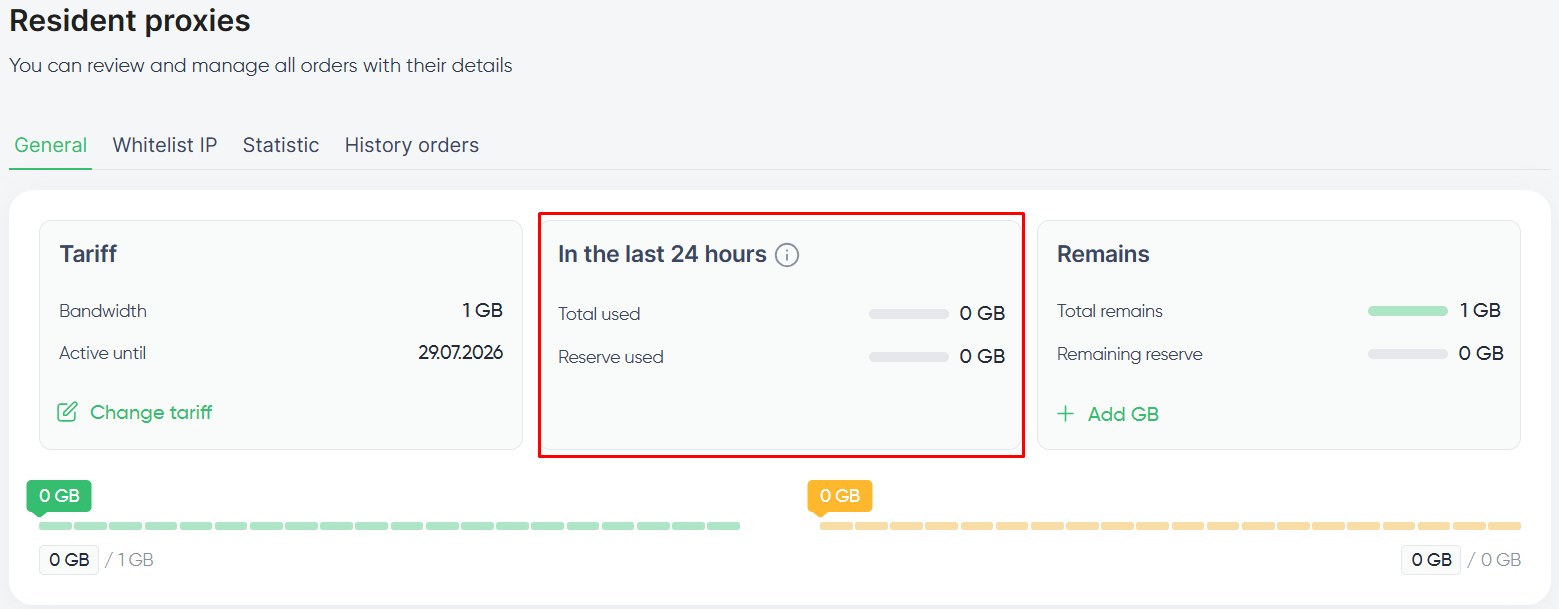
Also, a new widget tracks your residential usage over the last 24 hours and refreshes every 7 minutes, so you'll catch a usage spike before it eats into your remaining traffic.
Find addresses faster during Mix imports
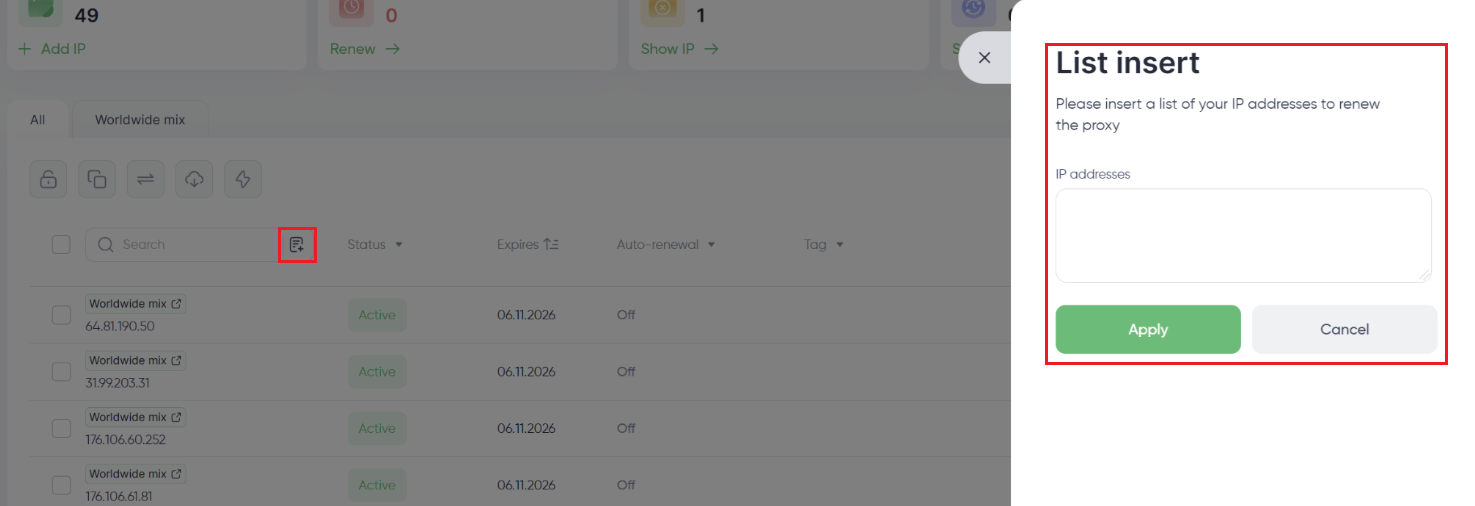
Importing addresses for a Mix proxy now comes with a search field. If you're scrolling through a long list of options, this saves real time.
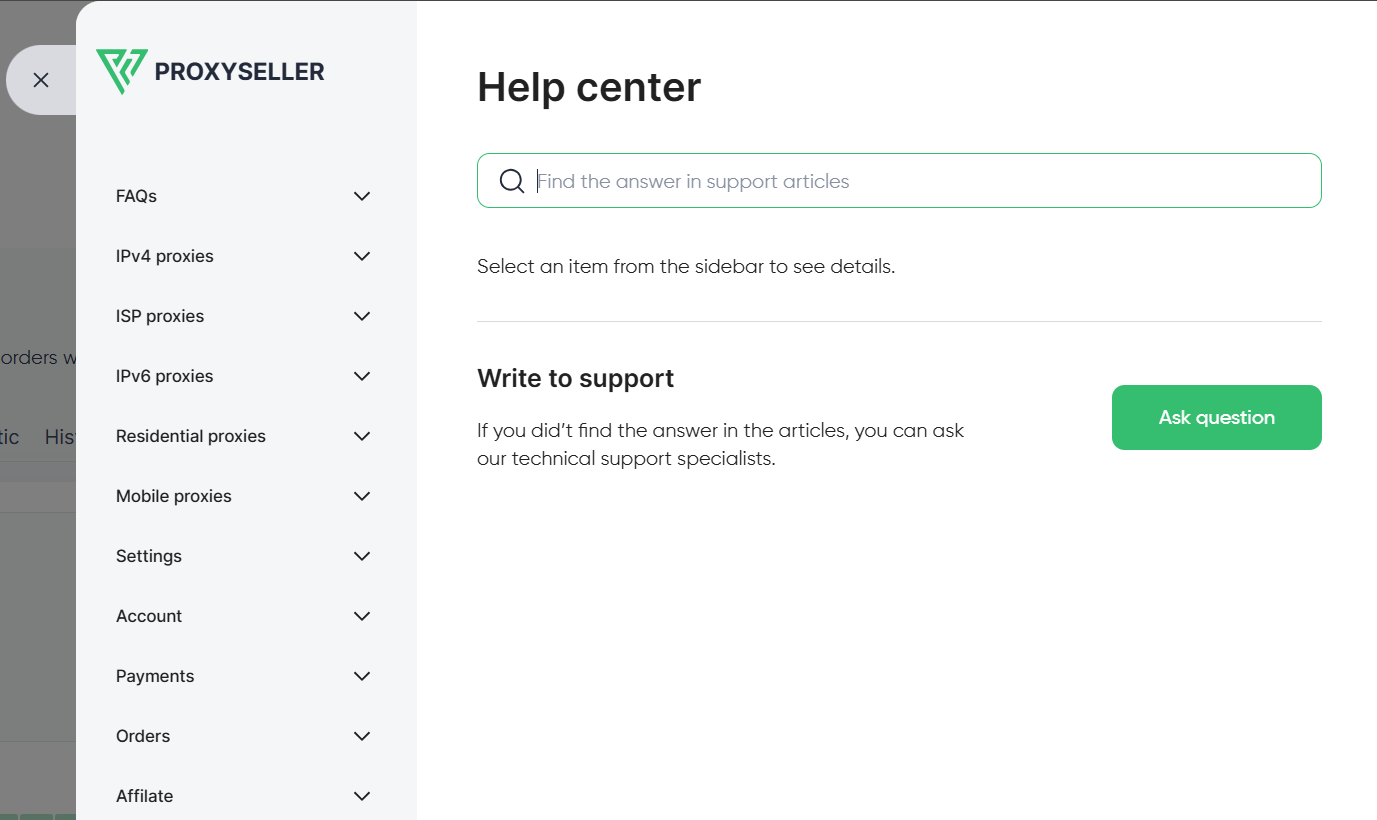
Find answers faster in the new Help Center
We replaced the old FAQ with a proper Help Center available from the top-right corner. Search for an answer directly, browse by proxy type, or reach out to support if you'd rather just ask.
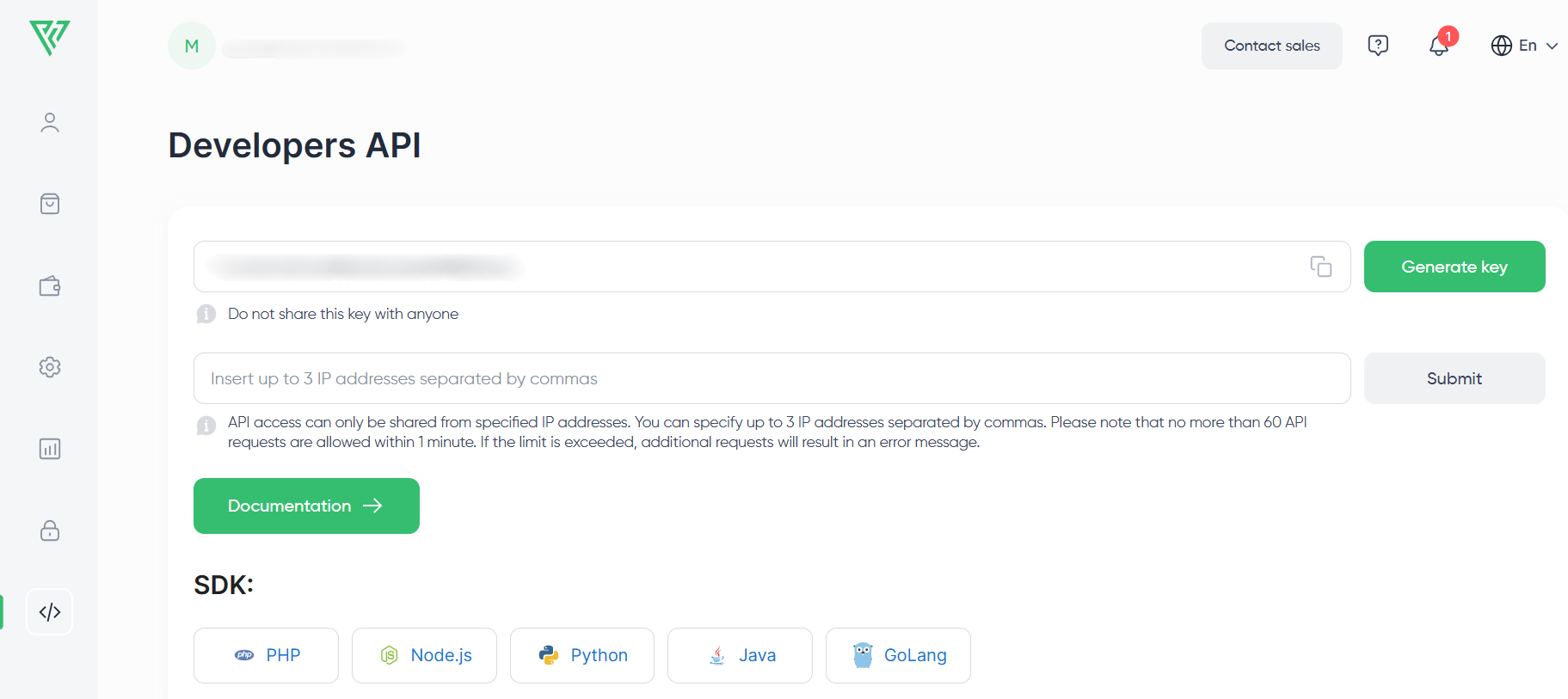
Authorize API access from up to three IPs
You can now authorize up to three IP addresses for API access, instead of just one, so requests can come from multiple trusted locations without you constantly updating the authorization settings.
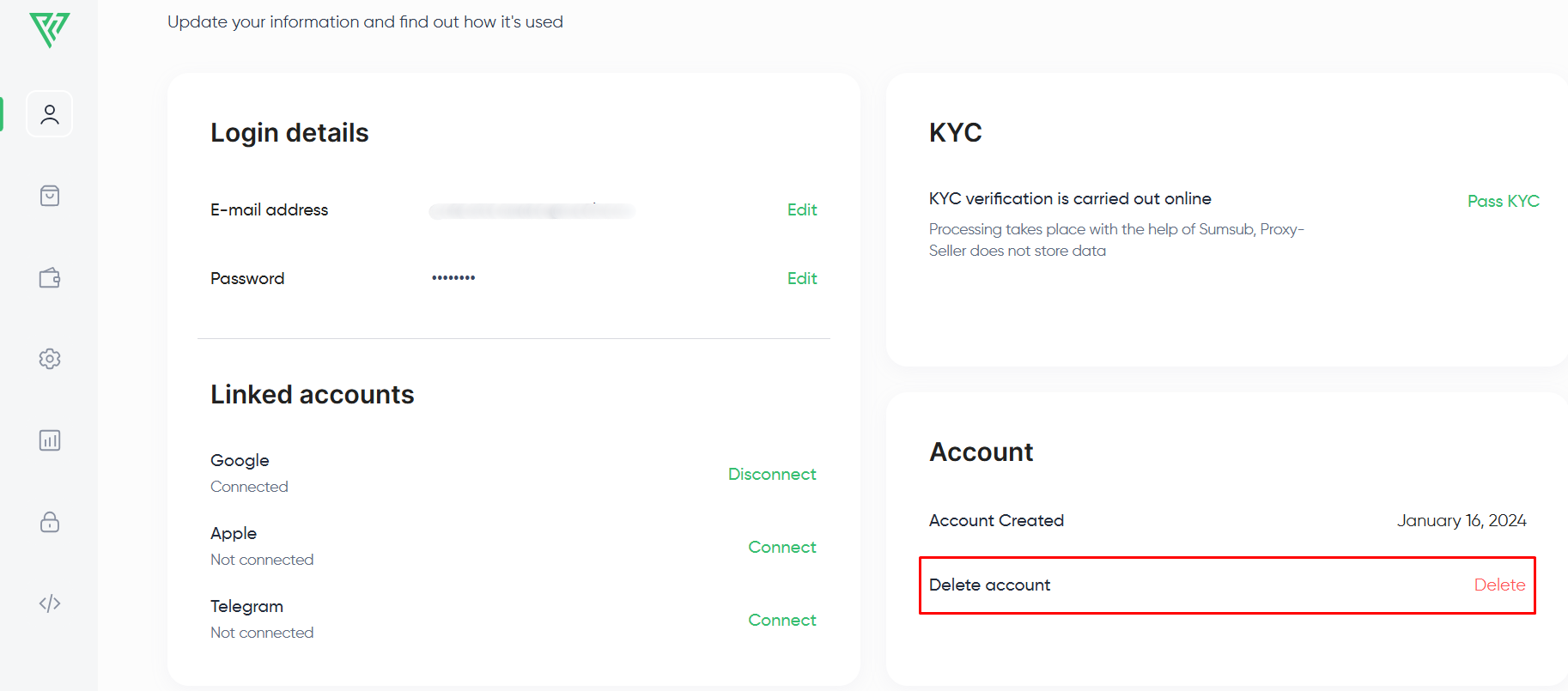
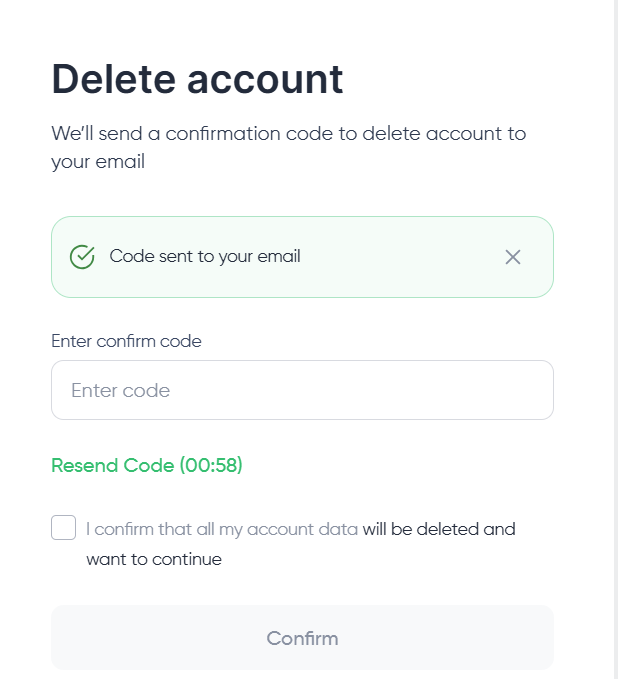
Delete your account directly from your profile
You can request account deletion right from the Profile page now, no support ticket required. Confirm it with the verification code we send to your email.
Start with the tools you use most
First time logging in? Start with the proxy list to get a feel for the new management tools, then swing by Security to check your two-factor authentication settings. If you're an affiliate partner, it's worth checking your balance breakdown and automatic withdrawal rules too.
Log in and explore the redesigned dashboard for yourself. If anything's unclear, the Help Center is in the top-right corner, or you can reach our support team directly through the dashboard chat.
PROXIES FROM $0.02/IP
Ready to put this into practice?
Pick a proxy type and location, and start using it within minutes.
Instant delivery
24/7 support
Refund policy
About the author