
 Proxy for Telegram
 Proxy for LinkedIn
 Proxy for Google
 Proxy for Ebay
 Proxy for Twitter
 Proxy for TikTok
What is a dedicated proxy? Dedicated proxy meaning & benefits

Sharing proxies across users can mean inheriting block history, unpredictable latency spikes, and block rates that are meaningfully higher than on exclusive IPs, because the same address may already carry another user's reputation damage. That's why you might be weighing what is a dedicated proxy against shared or free options, and whether it's the right choice for your stack.
Dedicated proxies are not about maximum anonymity. Instead, they give one user or team more control over the history and reputation of their IPs, which become exclusively theirs. We'll cover what is a dedicated proxy, how it works, the main types, and how to set one up.
What is a dedicated proxy, and how does it differ from a private?
A dedicated proxy is a proxy IP address assigned exclusively to one user, account, team, or organization. They work just like shared proxies, where your requests still pass through a proxy server, and the destination sees that IP address rather than your original one. The main difference is that the IP isn’t shared with other customers outside of your team.
Given that the same IP stays attached to the same account, workflow, project, region, or automation task, it gives you a consistent IP identity whose traffic history and block rate come entirely from your own requests, not from an unknown prior user. That one-to-one assignment defines what is a dedicated proxy at its core.
Dedicated and private proxies overlap, but they’re not identical. A dedicated proxy is private proxy access with exclusive IP allocation. A private proxy restricts access, but it may still be shared unless the provider confirms dedicated use.
How does a dedicated proxy work?
A dedicated proxy works by routing your traffic through a real IP address reserved only for you or your team. Your browser, scraper, or app sends a request to the dedicated proxy, which then forwards those requests to the target server, API, or endpoint, and returns responses back through the same proxy path. From the destination server’s view, the request comes from the dedicated IP address, not yours.
There are two common authentication models that make this work:
- Username/password authentication: checks credentials before routing traffic, making it the more flexible choice for access across devices, browsers, or tools.
- IP allowlisting: only accepts secure connections from pre-approved IP addresses, which works best for fixed environments, CI/CD systems, servers, or office networks.
The protocol then determines what kind of traffic your dedicated proxy can route. HTTP/HTTPS best fits browser-based and web scraping workflows, while SOCKS5 is better when the tool needs broader TCP support, such as app testing, automation, or traffic-heavy tasks.
In some setups, traffic may pass through a transparent proxy, which routes requests automatically, but dedicated services are configured directly inside the browser, app, or system settings.
What are the main types of dedicated proxies, and which to choose?
To accurately answer what is a dedicated proxy, We'd separate the exclusivity from the IP source. In this context, “dedicated” describes the access model, while the network source of the IP can be datacenter, ISP, residential, or mobile, depending on what your team needs. They define where the IP comes from and how the target servers/systems classify it.
Different workflows and tasks work best with specific network sources, which is why it’s crucial to choose a provider that supports them all.
Proxy-Seller provides dedicated datacenter IPv4/IPv6, ISP, and mobile proxy infrastructure with HTTP(S), SOCKS5, and both authentication methods. Stop paying for traffic history you didn't create. Proxy-Seller's dedicated pools carry no cross-customer contamination. Proxy-Seller’s dedicated pools are built for reliable performance, with a 99.7% uptime, 99.5% success rate, and support for HTTP, HTTPS, and SOCKS5.
Dedicated datacenter proxies
Dedicated datacenter proxies are IPs hosted on data center infrastructure and assigned to only one user, not tied to real-life home devices or mobile carriers. They’re best used for high-volume public web data collection, SEO monitoring, QA automation, and performance testing.
Datacenter IPs start at $0.02/IP/week (for IPv6 option), compared to $0.98/IP/week for ISP proxies, which makes them the most cost-efficient option for high-volume bulk collection where trust signal requirements are lower. However, some high-security targets like e-commerce checkout pages, social media platforms, and financial services flag ASNs from data centers more aggressively.
Dedicated ISP (static residential proxies)
Dedicated ISP proxies, also called static dedicated residential proxies, use IPs issued by internet service providers (ISPs) but routed through provider-managed servers. They sit between datacenter and rotating residential proxies, as they combine residential-like IP signals with fixed-session stability.
This makes them useful for long sessions, account consistency, geo-specific monitoring, and workflows where switching IPs mid-session would create extra checks. They cost more per IP than datacenter options, typically $0.98/IP/week, and location availability is narrower, making them harder to scale across many regions.
Dedicated mobile proxies
Dedicated mobile proxies are exclusive IPs assigned through real mobile carrier networks, usually 4G, 5G, or LTE, rather than fixed broadband or datacenter ASNs. They’re the most expensive dedicated proxy type: Proxy-Seller’s basic dedicated mobile price is $49, and carrier availability is narrower than datacenter or ISP networks.
On the other hand, they’re the best choice for mobile app testing, mobile SERP checks, mobile UX and localization tests, and social media workflows that require consistent mobile network behavior.
NB: Rotating residential proxies deserve a separate call-out here, because they can’t be truly dedicated one-to-one. The IPs come from real end-user devices on home ISPs, so the household member using that connection keeps priority: the address drops offline when they disconnect, cycles when the router renews the lease, and can be reassigned by the ISP at any time. Providers can reserve residential IPs on a best-effort basis inside an active pool, but they can’t lock a specific home IP to your account long-term. If you need residential-style signals with true one-to-one exclusivity, the closest match is a dedicated ISP proxy (also called a static residential proxy), issued by an ISP but hosted on provider-controlled servers you keep for the full rental period.
Shared vs dedicated proxies
The dedicated proxy meaning becomes clearer when you compare it with shared proxies. A shared proxy uses one IP for multiple customers, either at the same time or across overlapping rental periods, while a dedicated proxy reserves that IP for one customer, team, or account.
Factor | Shared proxy | Dedicated proxy |
Access | Multiple customers | One customer, team, or account |
Cost | Lower (e.g., mobile shared proxies cost from $10) | Higher (from $49 for dedicated mobile IPs) |
Performance | More variable | More predictable |
IP reputation | Affected by other users | Easier to control |
Troubleshooting | Harder to attribute issues | Clearer attribution |
Best fit | Low-risk, low-cost tasks | Stable production workflows |
Shared proxies still have their place in certain workflows that don’t require account consistency, like casual browsing and low-risk testing. However, for business tasks where IP reputation and stability are crucial, dedicated proxies are the better choice.
Common use cases of dedicated proxies and when they apply
Since a dedicated proxy server usually keeps the same IP across requests, it’s strongest for workflows that depend on repeatable IP behavior, stable sessions, and measurable request quality. So, what is a dedicated proxy used for in practice? Here are the most common use cases:
- Web scraping and public data collection. A stable IP identity keeps routing consistent by endpoint, region, or project, which makes IP blocks easier to diagnose against request rate, headers, session logic, and target behavior.
- SEO monitoring and ad verification. Exclusive IPs are useful for regional checks, because SERP shifts, ad visibility, and landing page changes can all be tied back to your own location, device, and request settings.
- Account-based workflows. One exclusively assigned IP can map to one account, workspace, or project, reducing unnecessary session changes during multi-step workflows across dashboards, browsers, or tools. For teams managing multiple client accounts or brand profiles across platforms, the best proxy browsers are the ones that keep each workspace tied to a stable, dedicated proxy identity.
- Automation testing and market intelligence. Exclusive IPs give QA and data teams a much cleaner environment for localization, authentication, and pricing checks, since the traffic history and access patterns come from their own workflows.
Key advantages of dedicated proxies over shared alternatives
The main advantage of dedicated proxies is by far operational control, because you don’t inherit unknown traffic behavior from other unrelated customers. Other key advantages include:
- Cleaner IP reputation: reputation is shaped by traffic type, request volume, block history, and endpoint behavior. With dedicated access, all those signals come only from your workflows. In A/B pilots, clean dedicated pools correlate with +20–30% valid response rate vs. shared infrastructure.
- Stable sessions: the same exclusive IP stays attached to one login, project, tool, endpoint, or multi-step workflow, which reduces session resets and extra verification triggers.
- Predictable performance: latency, throughput, VRR, CPVR, and retry rates are easier to measure when no third-party traffic is competing on the same IP or distorting the results.
- Better troubleshooting: failed requests can be mapped to your own request rates, headers, endpoints, locations, authentications, or proxy configurations.
These key properties are exactly what is a dedicated proxy worth paying for.
Drawbacks of dedicated proxies and when to choose something else
Understanding what is a dedicated proxy also means knowing its limits. It reduces shared-traffic noise, but it doesn’t remove target-side restrictions, poor request logic, or misconfigurations.
It’s also not the lowest-cost or most flexible option for every type of workflow:
- Higher cost: you pay for the entire proxy instead of sharing the cost with other users, and covering more countries, cities, carriers, or ASNs will require buying more of them.
- More IP management: you may need to monitor IP health, endpoint behavior, request rate, and session allocation more closely since each IP carries more operational weight.
- Less flexible than rotating pools: if your task needs frequent IP changes across many regions, a rotating pool is more practical. 20 dedicated proxies cap you at 20 locations, while a rotating residential pool of the same cost gives access to hundreds of locations.
- Prior reputation risk: a dedicated IP isn’t automatically a fresh IP, so if it was previously assigned to another customer and flagged for abuse, that history may still affect how systems classify your requests. Ask your provider whether IPs have prior usage records.
Getting started with dedicated proxies
Understanding what is a dedicated proxy and how it works is only the first step. The next step is assigning the right type, location, and auth method to each job to ensure they run smoothly.
Dedicated proxies work best when each IP has a clear job. Effective setup means assigning the right proxy type, location, and access settings to each job, and then testing performance before scaling traffic.
- Choose the proxy type: depending on your exact task, different proxy networks will be better suited. Choose datacenter for speed and throughput, ISP/static residential for long stable sessions, and mobile for carrier-based testing or behavior.
- Select locations and IP volume: decide on which countries, cities, carriers, or ASNs the task realistically needs, and then start with fewer IPs to test reliability before scaling.
- Pick an authentication method: go for username/password authentication when multiple tools or devices need access, and IP allowlisting when you want traffic coming from a fixed server or environment.
- Test before scaling: measure latency, valid response rate, cost per valid response, error rate, and geo accuracy, and then scale only after the results prove stable.
- Choose the right provider: look for clean dedicated pools with no SMB traffic mixing, endpoint-level logs, both authentication methods, API access, and a 99.7% uptime SLA. Procurement readiness (PO/Net-15/30) matters if Finance gates vendor decisions at your company. When you're ready to buy private proxy server access, confirm clean pool allocation and IP exclusivity upfront.
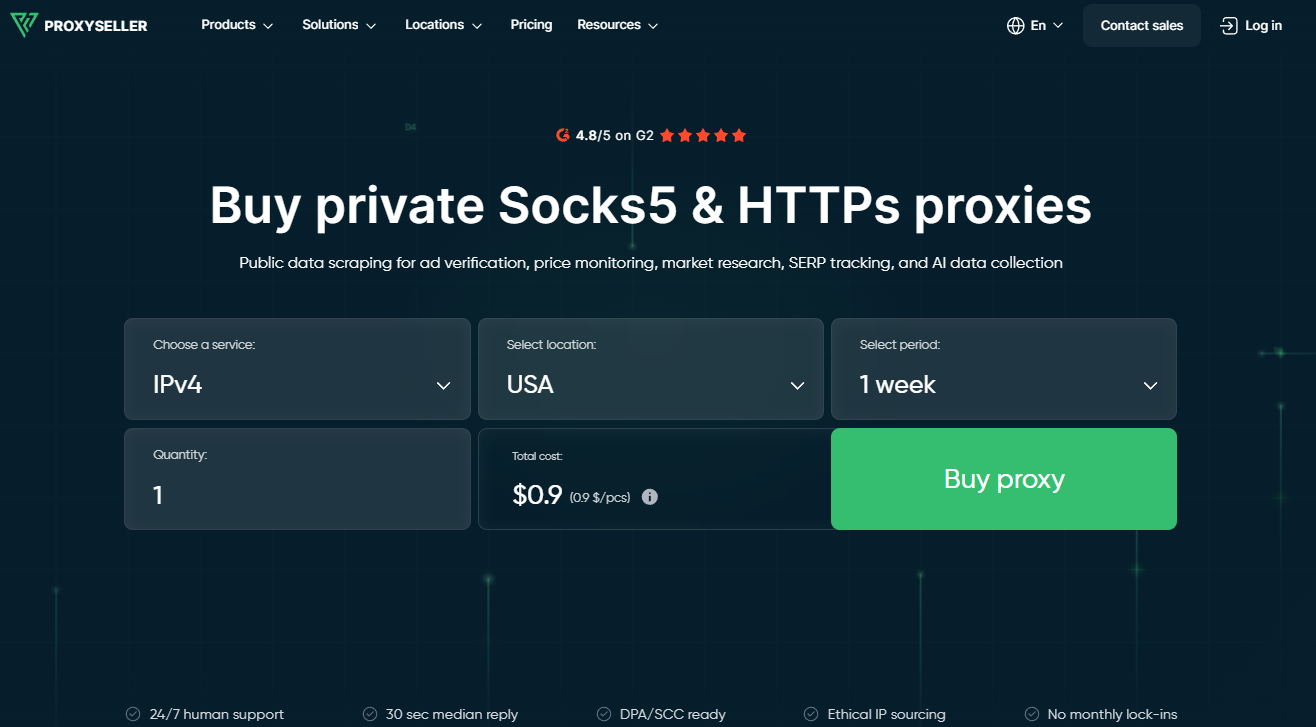
Proxy-Seller provides dedicated proxy infrastructure across datacenter IPv4/IPv6, ISP, and mobile proxy networks, with HTTP(S), SOCKS5, and both username/password authentication and IP allowlisting.
Choose dedicated proxies when control matters
If your workflows run repeated requests to the same endpoints, maintain logins across sessions, or tie business-critical results to IP consistency, dedicated proxies are the right call. Shared proxies can still work for low-risk, low-cost tasks, and rotating pools may be the better choice for tasks that need frequent IP changes across many locations.
The deciding factor is whether your workload's accuracy depends on who else is using the same IP. If it does, dedicated is the only choice. A comparison of the best proxy providers can help you verify pool exclusivity, geo coverage, and pricing before committing.
FAQ
Yes, it can. If the IP comes from a residential or ISP-registered network and is reserved for one customer, the dedicated proxy can be residential. In practice, this is often sold as a dedicated ISP proxy or a static residential proxy, and is great for workflows that need residential-style IP signals but also need the IP to stay fixed over long sessions.
Not necessarily. Speed isn't what is a dedicated proxy optimized for, but consistency is. Dedicated proxies are usually more consistent than shared proxies, but that doesn’t mean they’ll be faster in every case. Speed still comes down to the proxy type, routing path, server location, provider infrastructure, and the target endpoint itself. The main benefit is that latency and throughput aren’t affected by other users competing for the same IP.
A dedicated proxy is essentially a private proxy with exclusive IP allocation. Private proxy access means the proxy is restricted through authentication, but that doesn’t always mean the IP itself is exclusively yours alone. Some providers still place multiple accounts on the same IP. With a dedicated proxy, the IP is reserved for one customer, team, account, or workflow only.
A dedicated proxy is used in workflows where IP stability is important. It gives you one consistent IP identity, a cleaner traffic history, and request patterns you can fully control. This makes it especially a good fit for SEO monitoring, public web data collection, ad verification, app testing, price intelligence, and account-based workflows where the same IP needs to stay tied to one task, account, region, or project.
PROXIES FROM $0.02/IP
Ready to put this into practice?
Pick a proxy type and location, and start using it within minutes.
Instant delivery
24/7 support
Refund policy
About the author