
 Proxy for Telegram
 Proxy for LinkedIn
 Proxy for Google
 Proxy for Ebay
 Proxy for Twitter
 Proxy for TikTok
How to set up and use proxies in Shadowrocket for Android

Shadowrocket is a versatile app available for iOS and Android devices, designed to manage proxy servers effectively. It allows users to route their internet traffic through proxy servers, enabling them to bypass geographical restrictions and enhance their online privacy. Shadowrocket can be downloaded directly from the Google Play Store.
Key features of Shadowrocket:
- Shadowrocket supports a variety of protocols including Trojan, Vmess, VLESS, Socks, and Shadowsocks, offering users flexibility in choosing the most suitable proxy type for their needs.
- Users can create groups to organize and share proxy server settings easily.
- The app provides access to built-in free proxies from various locations, enhancing global accessibility.
It’s important to note that free proxies may often be non-functional. For reliable service, it's advisable to opt for private proxy servers from reputable providers.
A distinctive feature of Shadowrocket is its ability to selectively apply proxy settings to specific apps on the device. This can be configured in the settings menu, where users can choose to enable proxy services for all applications or select them individually, tailoring the proxy usage to their specific needs and preferences.
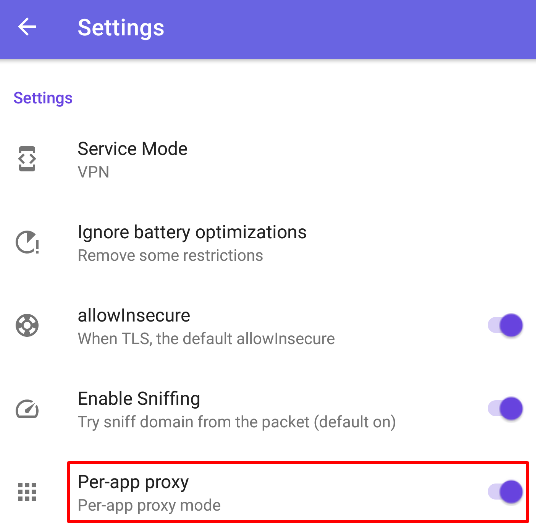
Step-by-step proxy setup in Shadowrocket
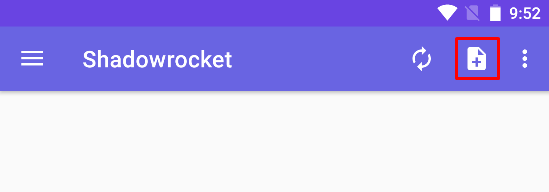
- Open the application and click on the “+” icon in the top panel.
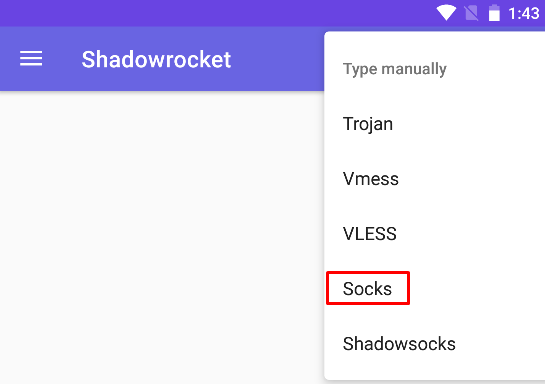
- Choose “Type manually” and select the desired protocol, such as Socks.
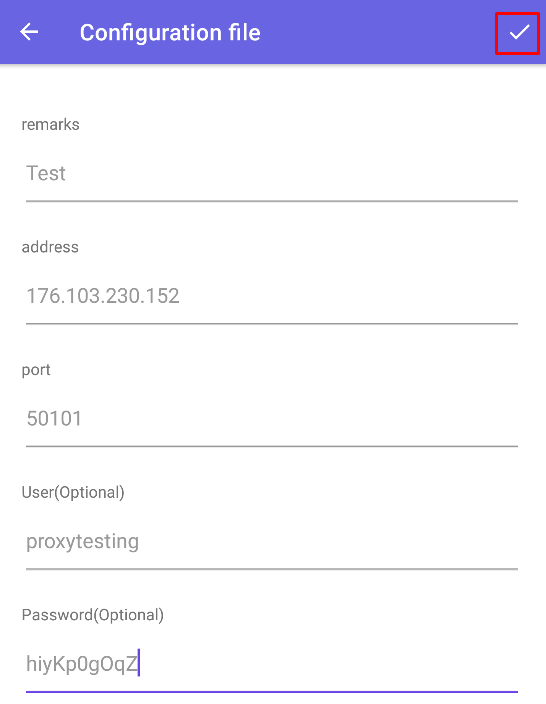
- In the new window, provide the profile name, then enter the IP address and Socks5 port. If using a private proxy server, fill in the authorization data. Once all information is entered, click the confirmation icon in the upper right corner. In our example, private IPs from Proxy Seller are used.
- To enable the proxy connection, tap on the icon at the bottom of the screen.
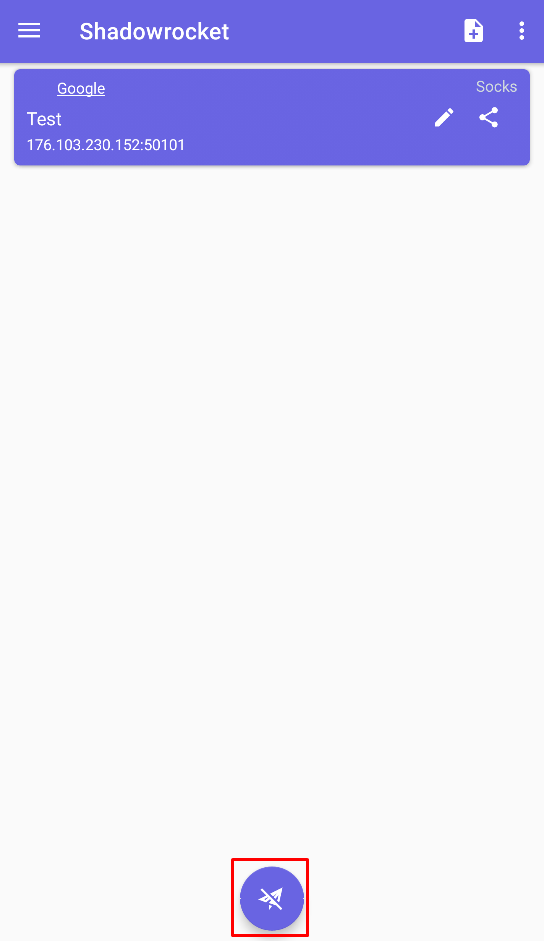
- To verify the settings, visit a website that checks geolocation. The displayed address should correspond to your proxy's address.
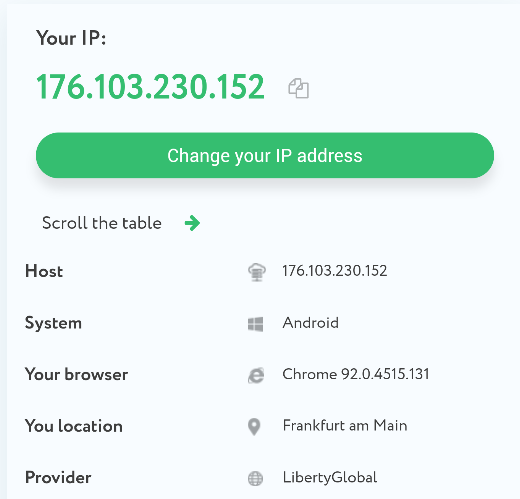
Additionally, the application allows for the organization of proxy servers into groups, which simplifies their identification and switching:
- Open the side menu on the main page and select “Groups”.
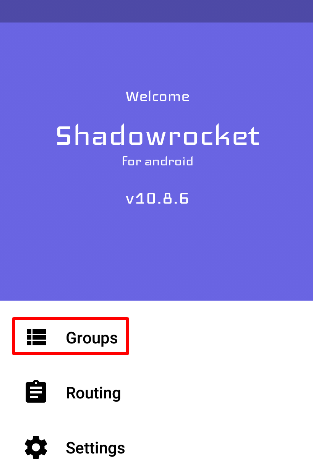
- Tap the add button in the upper right corner and choose “Add Group”.
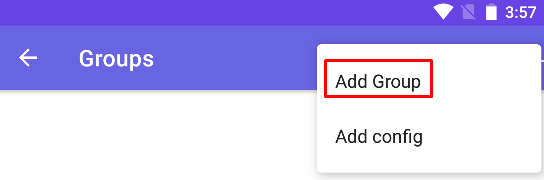
- Name the group and confirm its creation.
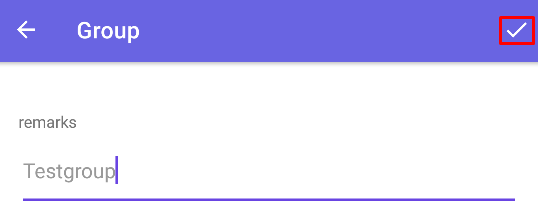
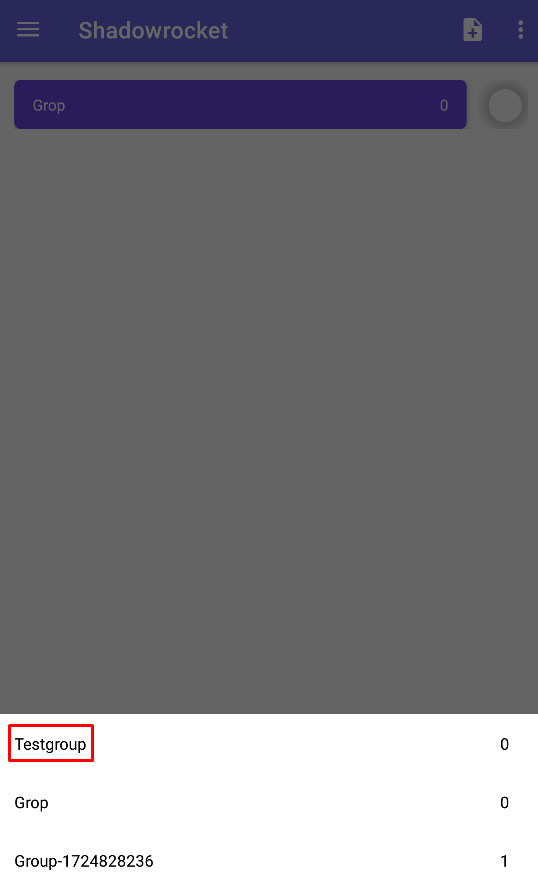
- After creating the group, return to the main page and swipe down to open a menu with the created groups. Select the new group, then add a new proxy to it following the steps provided above.
This feature is particularly beneficial when managing multiple accounts on gaming platforms, social networks, and other online resources. For this application, it’s convenient to use dynamic IPs, such as rotating mobile proxy. Additionally, the use of private proxy servers enhances this setup by offering users a completely anonymous and private internet connection, ensuring security and confidentiality in their online activities. For such simple tasks, a stable ISP proxy can be recommended.
PROXIES FROM $0.02/IP
Ready to put this into practice?
Pick a proxy type and location, and start using it within minutes.
Instant delivery
24/7 support
Refund policy
About the author