 Proxy for Telegram
 Proxy for LinkedIn
 Proxy for Ebay
 Proxy for Twitter
 Proxy for TikTok
 Proxy for Google
Step-by-step configuration for CCProxy

Installing CCProxy on your computer, you can immediately use it with the default settings. Nevertheless, detailed configuration settings will allow you to increase the comfort of using a proxy server and its performance. For production use, it’s better to buy private proxy access so your setup isn’t dependent on shared or unstable endpoints.
Video tutorial how to configure proxy in CCProxy
Step 1: Configurations
Run the program. In the main window of CCProxy, you will see the "Options" section. Go to it to do detailed configurations.
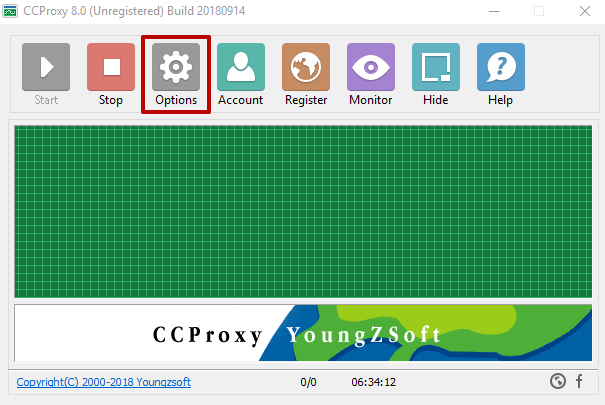
Follow the instructions below:
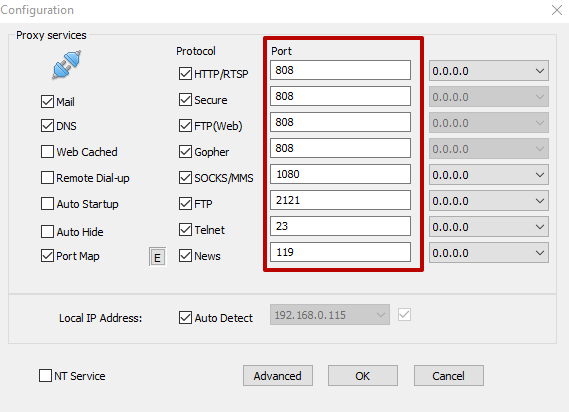
- Replace standard ports with other unoccupied ones.
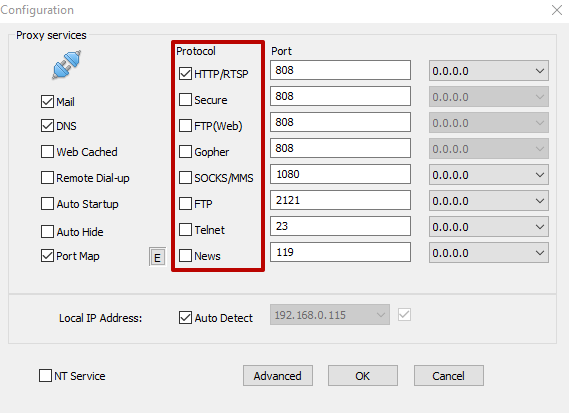
- Disable protocols that you do not need. To use the browser, just leave a checkmark next to HTTP. If you need to upload files to your hosting, then check the FTP protocol.
- Set additional settings for the convenience of managing CCProxy (autorun, DNS, minimized startup, etc.).
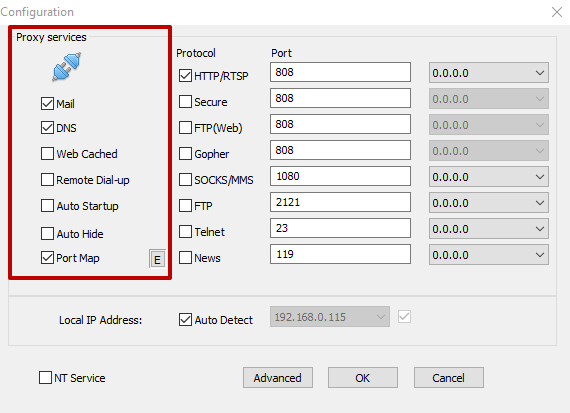
The system is already ready to start, but if you will not create restrictions for using the server, then anyone can use the proxy with you.
Step 2: Create Proxy Permission
That the server could not be used by another user, you need to create a special pass. This is done as follows:
- Go to the "Account" section.
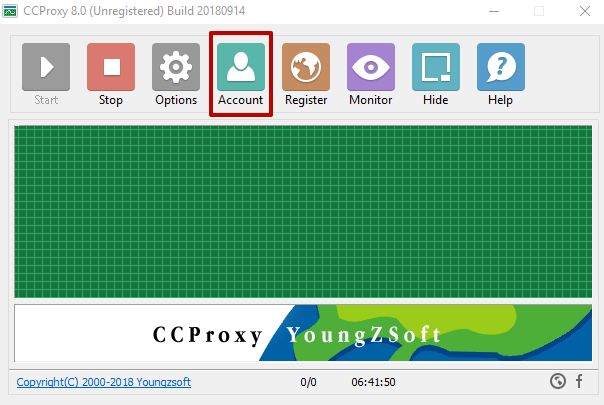
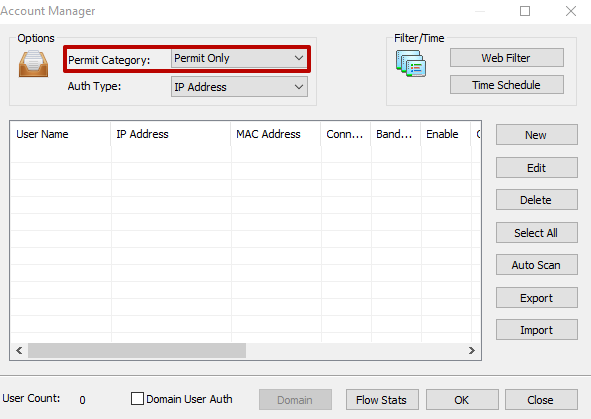
- In the "Permit Category" column on the left, select "Permit Only".
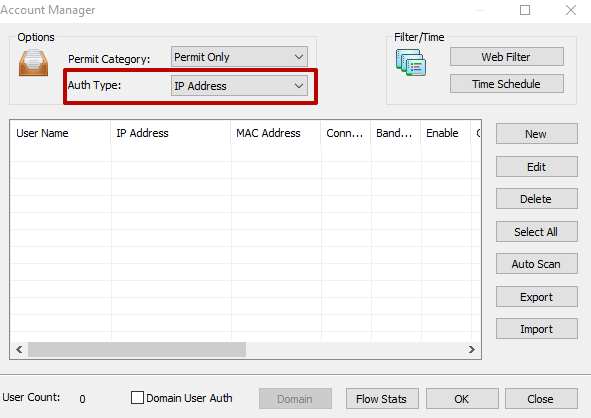
- Under it in the "Auth Type" select the setting of your choice.
Step 3: Select the type of authorization
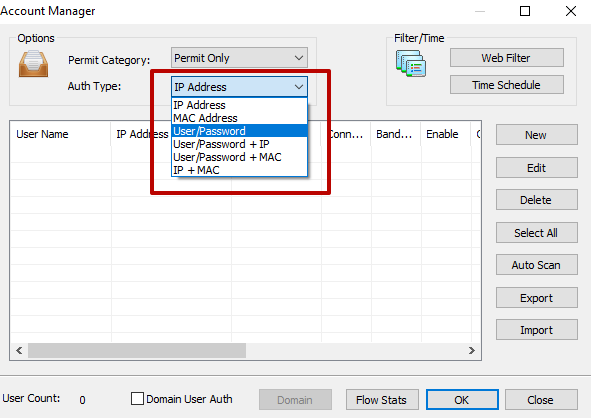
There are 6 possible types of authorization:
- only for added IP addresses;
- only for added MAC addresses;
- by login and password;
- by login and password + only for added IP addresses;
- by login and password + only for added MAC addresses;
- only for added IP and MAC addresses.
For mobile-like traffic patterns in account-heavy workflows, you may prefer to buy 4g proxies and use them as upstream endpoints. If you prefer authorization by IP address, MAC address, or both of them, then you can find out these values by clicking on the question icon. It is located next to the input field.
Step 4: User Settings
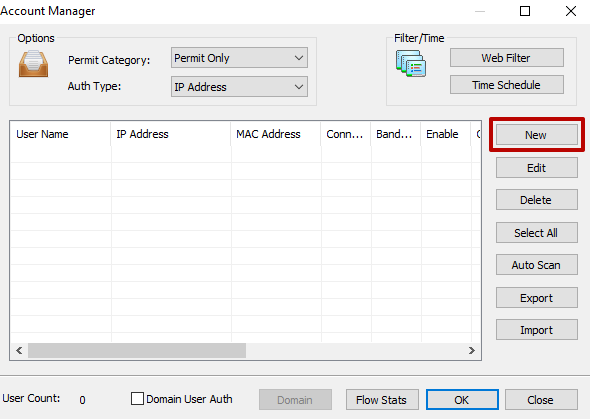
After choosing the appropriate authorization format, click the "New" button, and then a new window with user settings will open.
In it, you will see certain fields depending on the type of authorization selected. Fill in only the main field, the rest of the lines can not be touched. If you selected authorization by IP, then enter only the IP address in the corresponding field. If login and password, then enter this data, etc.
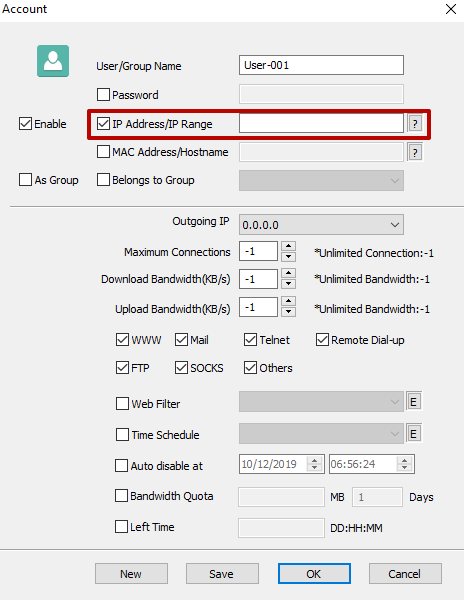
The program provides for setting restrictions on the use of protocols for each individual user. You can also set a certain number of connections at one time and access speed. If you need consistent performance for long sessions, ISP proxies are often a practical choice for upstream routing.
When user settings are completed, click "Save".
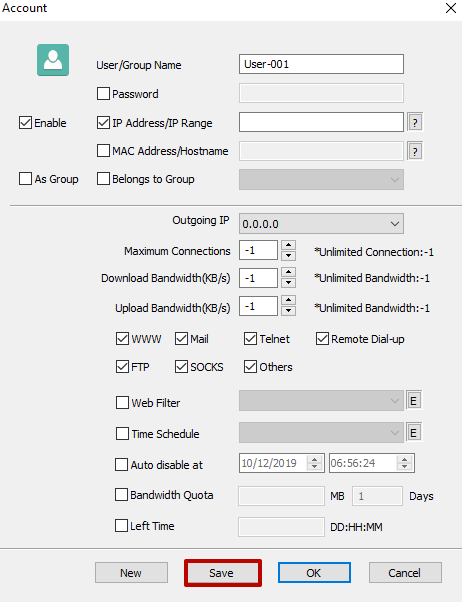
If you need to create another user, click "New". When setup is complete, click "OK".
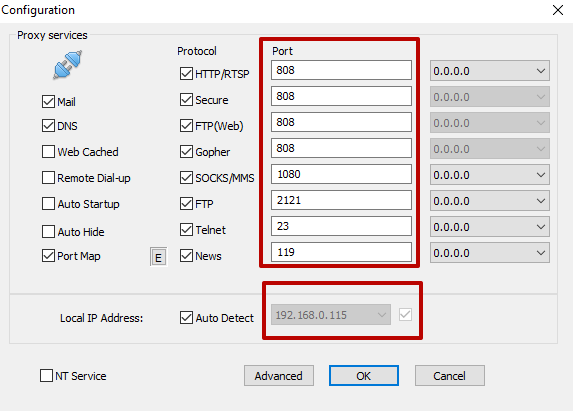
For the user to be able to use your proxy, the user needs to configure it in the browser settings IP:PORT, where IP is the IP address of your machine, and PORT is the value set in the options of the protocol you need. That is, in the case of HTTP, this input will look something like this: 99.199.199.99:8080. If your network supports IPv6, you can also test an IPv6 proxy setup alongside IPv4 to compare connectivity and routing.
In order to find the necessary parameter in the browser settings, enter "proxies" in the search window.
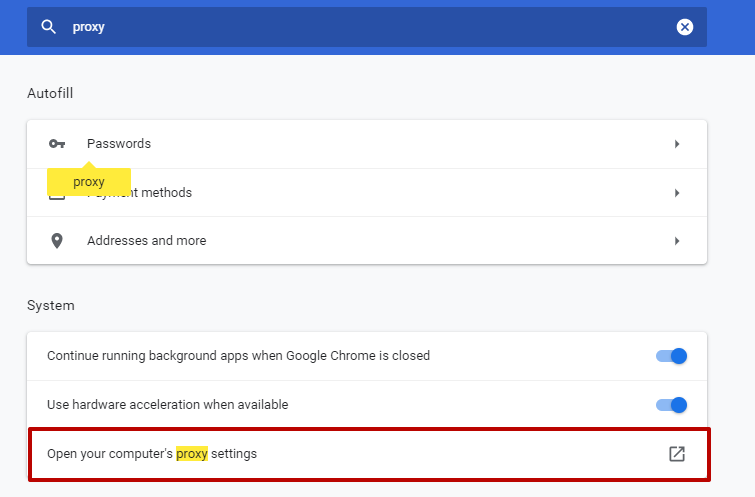
After this, the system redirects you to the proxy settings on the computer. If you have Windows, the popup will look like the image below. Click on the slider to enable the use of a proxy server.
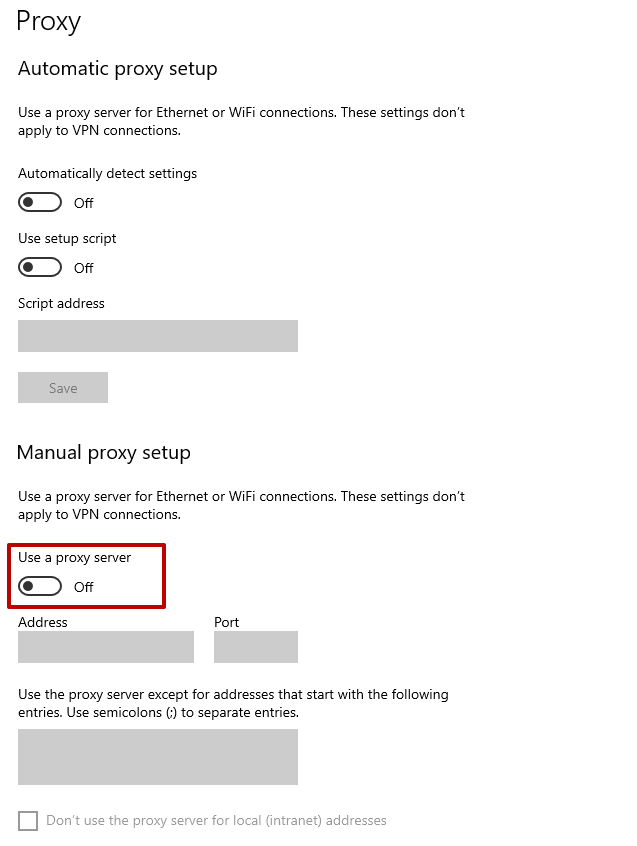
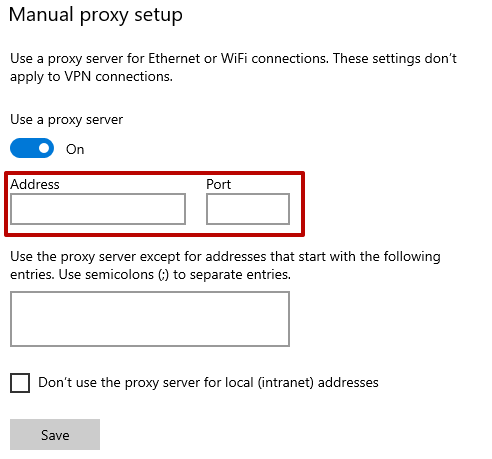
Enter the required data in the appropriate fields. For sites that are sensitive to IP reputation, consider routing traffic through residential proxies to reduce the chance of flags.
You can view the IP address and port (depending on the protocol used) of your proxy in the CCProxy program in the "Options" menu.
PROXIES FROM $0.02/IP
Ready to put this into practice?
Pick a proxy type and location, and start using it within minutes.
Instant delivery
24/7 support
Refund policy
About the author